
 Lessons: 15Length: 1.5 hours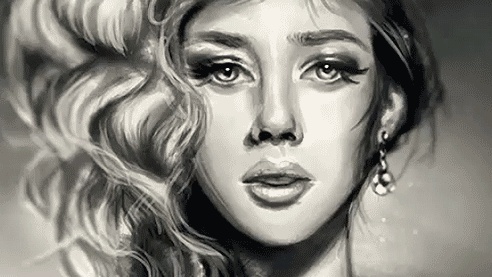
- Overview
- Transcript
1.1 Introduction
Welcome to Digital Painting in Adobe Photoshop. My name is Melody Nieves, and in this course you’ll learn how to create two beautiful digital portraits. First, we’ll tackle the tools you need, including how to create your own custom brushes, and then we’ll learn more about the photos we’re using as references. Afterwards, we’ll jump right into our paintings, a simple colorful portrait followed by a grayscale textural portrait.
Related Links
1.Introduction
1.1Introduction01:27
2.Setup
2.1Your Workspace02:36
2.2Creating Custom Brushes07:13
2.3Understanding Your References07:52
3.Paint a Simple, Colorful Portrait
3.1Sketch10:21
3.2Exaggerating the Features04:57
3.3Prep and Create Your Base Colors05:42
3.4Shading06:09
3.5Final Touches, Color Portrait09:27
4.Paint a Textured, Grayscale Portrait
4.1Rough Sketch06:14
4.2Creating a Textured Base05:44
4.3Shading With Textured Brushes06:21
4.4Polishing Your Portrait With Soft Brushes06:06
4.5Final Touches, Grayscale Portrait07:25
5.Conclusion
5.1Conclusion02:31
1.1 Introduction
Hello everyone, and welcome to digital portrait painting in Adobe Photoshop. My Name is Melanie Nieves, and I am a freelance digital artist and instructor specializing in all things digital painting. When I first discovered digital painting almost ten years ago I was absolutely hooked. For the first time, I felt like I could actually make all that beautiful art that was trapped in my head, and I was able to turn ideas into real life paintings because of Photoshop's limitless versatility. That feeling alone has always propelled me to continue painting so that I could get better and better. And like many artists, one of my biggest passions is painting portraits. Whether you're painting a reference, your best friend, or even the Mona Lisa, we always connect to art that's about ourselves or other people. In this course, we'll tackle any insecurities head on by showing you the many simple ways you can instantly make your portraits better in Photoshop. You'll learn some quick cheats for achieving a better likeness, how to set up your layer so that it's actually easier to paint, and the importance of starting with a solid base to work from. All in all, I really hope you walk away with a better understanding of digital art and the confidence to tackle your next portrait painting. So if you're as ready as I am to get started, let's move on to the next lesson.


