
 Lessons: 17Length: 2 hours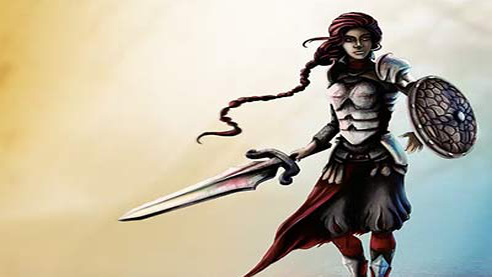
- Overview
- Transcript
1.1 Introduction
Welcome to The Fundamentals of Digital Painting. Digital painting is an emerging art form in which traditional painting techniques (such as watercolor, oils, and impasto) are mimicked in an entirely digital format. In this course, I'll teach you how to create your own digital paintings, and will share with you the techniques, tips and tricks I've learned over the last couple of years. By the end of this course you'll be able to use the things I've taught you to make your own creative works.
1.Introduction
1.1Introduction02:29
1.2Introduction to Adobe Photoshop06:28
2.Tools, Colors and Line Art
2.1Photoshop Tools and Shortcuts04:21
2.2How to Create Line Art20:21
2.3Painting in Grayscale: Rough Parts13:27
2.4Painting in Grayscale: Detail Work06:49
2.5Creating Our Base Colors05:47
2.6Learn About Color Temperature04:55
2.7How to Make a Photoshop Brush03:30
3.How to Paint Skin and Hair
3.1Skin and Facial Features15:26
3.2Hair05:45
4.Painting Textures: Fabric, Wood, and Metal
4.1Fabric08:13
4.2Creating a Wood Effect06:27
4.3Creating a Metal Effect06:51
5.Final Details
5.1Final Touches02:44
5.2Background05:14
6.Conclusion
6.1Final Thoughts01:11
1.1 Introduction
Hi, everyone. Welcome to the fundamentals of digital painting. My name is Nasaza Peters, although most people just call me Nas. I have been illustrating for 14 years now. I started out traditional but quickly changed to digital, and instantly fell in love with Vector. Over the years, I've done quite a bit of freelance work, and for the past couple of months, I have been writing tutorials for design tuts+. Ever since I was a kid, I would come up with creatures and their stories behind them, what they would wear, their weapon designs. So when I figured out I could draw, not splendidly at the time, but well enough to translate approximately what I saw in my mind, I started practicing this skill constantly and, of course, still am today. As the title explains, in this course we will be covering the fundamentals of digital painting. I will be sharing the things I have learned over the last couple of years, and hope that you'll come out of it with a tip or trick that you'll be able to use and apply in your own creative works. We will be using a sketch I created of a fantasy character, applying different methods of digital painting on separate sections. I've drawn the character in a way that there are multiple textures available in the design, so we can take a detailed look at how to paint these textures. But before all that, I will give you an introduction to Photoshop, focusing on the elements we will use throughout this course, as well as cover some of the major shortcuts that we will be using throughout. We'll practice those shortcuts and the brush tool as we create the line art on top of the sketch. And to make the coloring process a little simpler, I will introduce you to painting grayscale and explain why this may be a beneficial technique to use as a beginner before painting in color straight away. I will show you how to apply colors on top of the grayscale and take a look at different color temperatures. There is actually two final results to this illustration. The first one can be called complete after having applied color temperatures. The character will have a more cartoon feel about her and rely on the line art. Whereas once we paint the textures, we will actually be working the line art out of the illustration. With textures applied, you will obtain the second result to this illustration. I have provided a sketch file, completed line art file and a file which has line art, grayscale and base colors. This way you can start with the sketch or use the line art files provided, or even start with the shading already in place and start painting the textures. Do know that these videos follow one another, so if you are a beginner, I recommend watching it from beginning to end. Let's get started!


