
 Lessons: 18Length: 55 minutes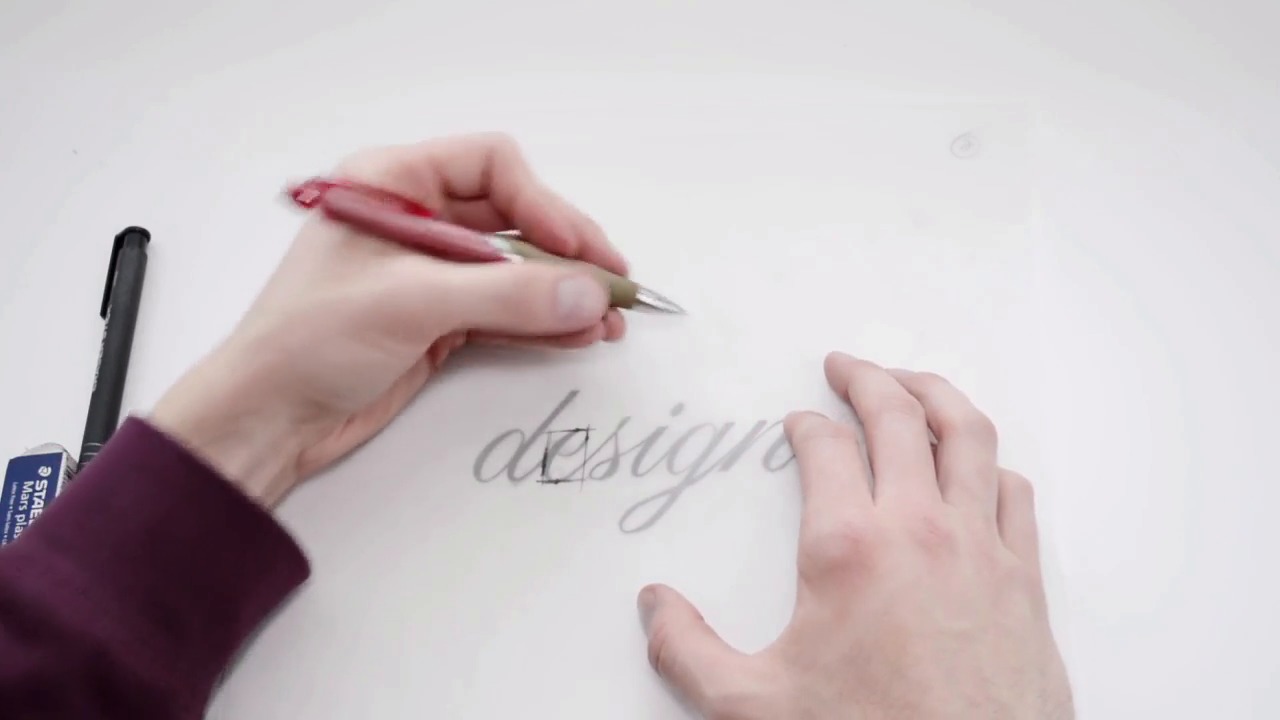
- Overview
- Transcript
2.7 Extremum Vectoring
Before getting onto the computer and vectoring within Adobe Illustrator, we will understand the underlying structure to develop smooth curves. We will cover the extrema of a letterform and where exactly to place your anchor points when vectoring your letters.
Related Links
1.Introduction
1.1Introduction01:22
1.2Supplies01:01
1.3What Is Script Lettering?02:33
2.Formal Script Lettering
2.1Breaking Things Down02:10
2.2Understanding the Proper Angle08:02
2.3Smooth Connections02:52
2.4Thicks and Thins03:18
2.5Flourishing04:28
2.6Uppercase01:52
2.7Extremum Vectoring02:49
3.Informal Script Lettering
3.1Utilizing Handwriting05:03
3.2Varying Angles and Rhythm03:26
3.3Stabbing Connections01:45
3.4Alternate Letterforms04:27
3.5Process to Final02:09
3.6Vector Techniques04:42
3.7Further Research01:59
4.Conclusion
4.1Conclusion00:43
2.7 Extremum Vectoring
So, now with your basic understanding of formal script lettering, let's begin the vectoring process of these letter forms. Now, if you have no idea how to properly vector your letter forms, I think it might be best to start on paper for your brain to truly understand where to place these anchor points. So, if you utilize your existing word, let's place a piece of tracing paper on top. And the key to vectoring, is you want to plot your points on the extrema of the letter forms which is essentially the north and south, west and east-most points of the form. So, if we were to draw a square around our letter form, right? So, let's draw a square around the letter e. So each letter form is going to be a bit different, right? So, whichever point, or wherever the letter form is touching that square, that is essentially the extrema of the letter form. So, we know that we're gonna need a point here, here, down in the corner, and then at the base, right. So, these handles will extend, and then these handles will extend vertically, these will extend horizontally. Another key point is handles need to distribute the weight evenly. So if we were to draw a circle, you want all of your handles to be essentially equal. You don't want one of your handles to be this long and another one to be this short, right? You don't. Cuz then the weight isn't distributed evenly. One of the handles would be doing more work. It's probably a little difficult to understand this on paper, but if this makes it easier for you, go ahead and just continue drawing squares around your letter forms. Because that will give you the basic idea of where to start drawing your anchor points, because the getting the extrema of the letter form is probably the hardest part. And then you might need to go back in and add in additional points if need be. It takes a lot of time and practice to understand where to place them. But once you get the extrema down, I think the rest is pretty straightforward. We will get into the computer stage of the vectoring later in the tutorial, but I just wanted to show you the basic understanding of the extrema of each of these letter forms. Go ahead and continue drawing square if you need to, but until then we will get on the computer and begin vectoring within Adobe Illustrator later in the course.


