
 Lessons: 18Length: 2 hours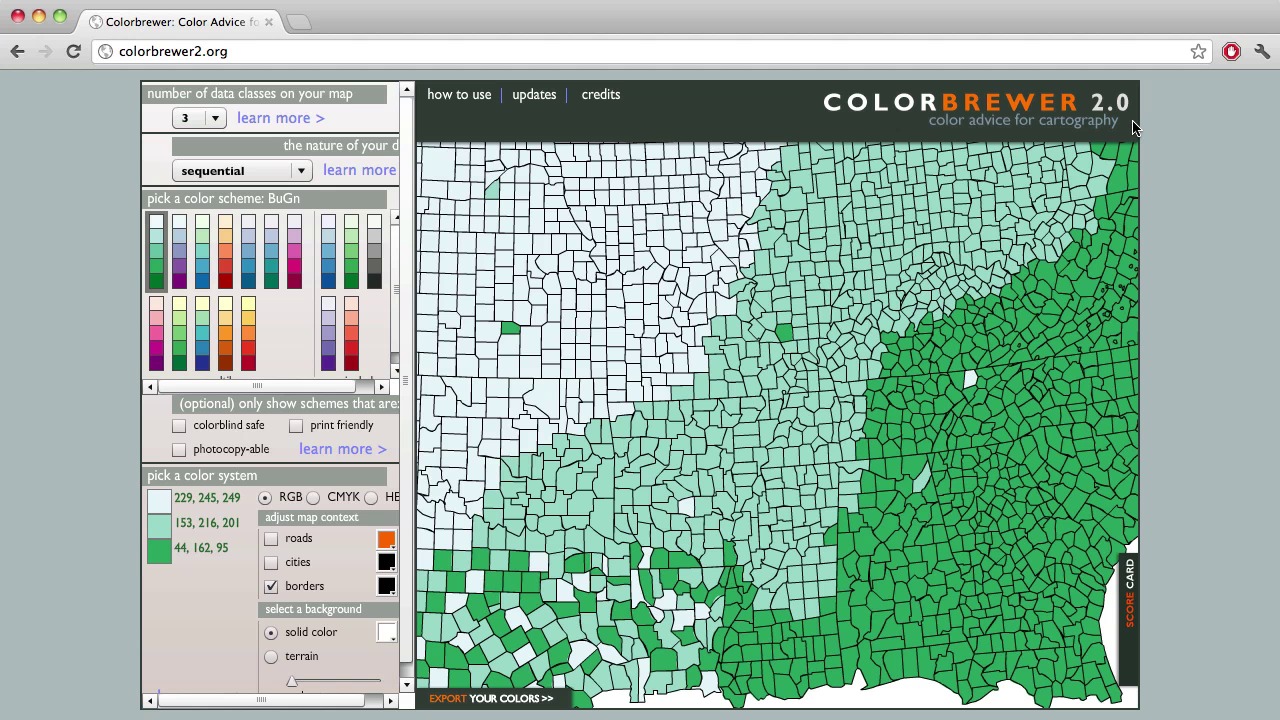
- Overview
- Transcript
3.2 Color
In today’s lesson, I will go over the best practices for using Color in your graphics. I’ve talked about color in just about every lesson, but I wanted to get into some more specifics on using color and point you to some resources for creating your own color palettes. I will also go over the basic terminology and explain how it will affect your graphics.
- Don’t use different colors for the same variable: We tend to think of different colors representing different things, but that’s not the case in a bar chart. If you need to draw attention to one value, use a darker value of the same color.
- Don’t use two colors that are on opposite sides of the color wheel: They will compete and even appear to vibrate. Use either different tints of the same hue, or two colors that are on the same side of the color wheel.
- Don’t choose color based on a theme: The colors will usually be too bright and it’s just gimmicky.
- Colorbrewer is a cool online tool, aimed a cartographers — especially ones who make choropleth maps — but anybody can use it.
- Adobe’s Kuler is another good web site. Here you can browse and download member-generated color schemes and make your own.
1.Introduction
1.1About the Course03:43
1.1
About the Course
03:43
1.2Data04:18
1.2
Data
04:18
2.Basic Graphs
2.1Line Charts11:18
2.1
Line Charts
11:18
2.2Bar Charts08:26
2.2
Bar Charts
08:26
2.3Pie Charts06:29
2.3
Pie Charts
06:29
2.4Area Graphs06:55
2.4
Area Graphs
06:55
2.5Scatter Graphs06:29
2.5
Scatter Graphs
06:29
2.6Bubble Charts09:31
2.6
Bubble Charts
09:31
2.7Locator Maps08:45
2.7
Locator Maps
08:45
2.8Choropleth Maps06:45
2.8
Choropleth Maps
06:45
2.9Timelines07:42
2.9
Timelines
07:42
3.Design Issues
3.1Variables05:09
3.1
Variables
05:09
3.2Color05:20
3.2
Color
05:20
3.3Typography03:37
3.3
Typography
03:37
3.4Math06:22
3.4
Math
06:22
3.5Big Graphics08:53
3.5
Big Graphics
08:53
4.Conclusion
4.1More Resources02:41
4.1
More Resources
02:41
4.2Top Tips05:04
4.2
Top Tips
05:04

