
 Lessons: 9Length: 39 minutes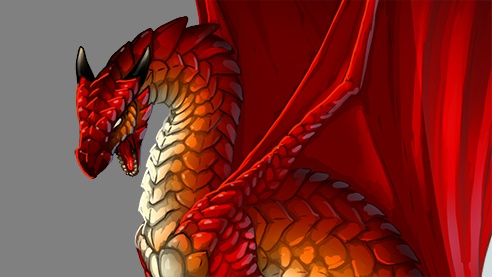
- Overview
- Transcript
1.1 Introduction
Welcome to The Basics of Coloring and Shading Line Art in Adobe Photoshop. This is a short course designed to get you into the world of digital painting. In this part I'll show you exactly what you'll be learning.
1.Introduction
1.1Introduction02:15
1.2Tools and Resources04:32
2.Theory of Shading
2.1Light, Shadow, and Color04:20
3.Coloring and Shading
3.1Simple Coloring05:48
3.2Base Light04:44
3.3Main Light03:26
3.4Additional Lights05:44
3.5Additional Tweaks06:18
4.Conclusion
4.1Conclusion01:47
1.1 Introduction
Hi. Welcome to Simple Coloring and Shading of Line Art in Adobe Photoshop. My name is Monique and in this course, I'll show you how to turn a line art into a digital painting. Before you try your hand at digital painting, you may assume that Photoshop is capable of creating great works for you. What can go wrong with such an advanced piece of software? The problem is digital art is often understood as computer generated art when in fact, only the tools are computer generated. The art must be created manually by the artist, just like with its traditional counterpart. Whether you paint with pigments or pixels, the same rules apply. It's my goal in this course to show you this rules in practice. You have a chance to learn all the basics you need to color and shade the line art in Photoshop. We start with a clean line art of a dragon and then we bring it to life. Step by step with color and light. Feel free to use your own line art. This way you can actually learn more since you have to adjust the rules to different example. First, I show you how to take control over the strokes of digital brush. This will be especially useful to you if you don't have a tablet. Then we're going to color the line art in a very simple and intuitive way. You'll be able to focus on the colors only without wasting time and energy on the shading or controlling the strokes. Next we're going to work on different kinds of light to show you the picture independently of its colors. You learn how to start with shadow and then reveal the light step by step. Finally, we're going to use photoshop photo manipulation functions to add special effects to the picture. After this course, you won't only be able to paint in this particular style, but you'll also have a proper foundation for further learning. The world of digital painting will yours for the taking. If you're interested, download the source files for this course, open Photoshop, and follow me. We're going to start by preparing the work space for painting.


