
 Lessons: 12Length: 2.3 hours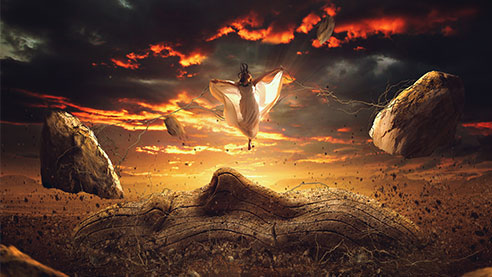
- Overview
- Transcript
1.1 Introduction
Welcome to this course on How to Create a Surreal Scene With Photo Manipulation. In this course, I'll be showing you my techniques of creating a surreal scene using Adobe Photoshop. So let's have a quick overview of the course and what you will be learning.
1.Introduction
1.1Introduction01:18
2.Source Images
2.1Source Images04:13
3.Creating the Composition
3.1Document Setup and Background13:25
3.2Adding the Face Mask14:41
3.3Creating Roots16:23
3.4Making Flying Rocks!15:24
4.Creating Atmosphere
4.1Adding Fog and Cutting Out Our Character15:38
4.2Bigger Flying Rocks and Highlights!15:57
4.3Texturing Our Roots15:14
5.Colour Correction
5.1Adjustment Layers16:55
5.2Finishing Colour Correction07:22
6.Conclusion
6.1What Have We Learned?01:52
1.1 Introduction
Hello, welcome to Creating a Surreal Scene in Photo Manipulation. My name is Lewis Moorhead, and I'm a creative retoucher working in the entertainment and advertising industry. In this course, you'll learn how to put together a surreal scene using multiple techniques and tricks in Adobe Photoshop. I'll be teaching you how to use composition, which is one of the most important aspects of any design you'll want to create. We'll work closely with some custom brushes, adding flying rocks and roots to our image, making it appear as realistic as possible. We'll also be using multiple textures and images from various places on the web, and you will have to try and match exposures, perspectives, different color spaces, and of course, different camera settings, which is no small feat. We'll be looking at the light you use to create the perfect image, and how it can make your image amazing if used correctly. On the last few lessons of the course, we'll also go through color correction, as in sharpening techniques, to help your image look its best either for print or for the web. This course is for anyone who wants to learn and has a already good base knowledge in Adobe Photoshop. So without further ado, I'd like to ask you to join me in the next lesson, where we will start to create the surreal scene. Thank you, and I'll see you in the next video.


