
For Halloween 2015, instead of posting spooky content, we're paying homage to the pop cult classic, the Wizard of Oz. Follow the story with themed tutorials posted in chronological order.
Posts in this series

This Year's Halloween Theme is... the Wizard of Oz!

Design a Vintage ‘Wizard of Oz’ Movie Poster in Adobe InDesign

Create a Colouring Book Style Illustration of Dorothy Gale in Adobe Illustrator

Use the Warp Tool to Create a Furry "Toto" in Adobe Illustrator

How to Create a Sepia Kansas Farm in Isometric Pixel Art With Adobe Photoshop

Quick Tip: Create a Rainbow Brush Using a Blend in Adobe Illustrator

Create a Devastating Twister With Photo Manipulation Techniques

How to Colourise an Old Photograph in Adobe Photoshop

Create an Art Nouveau-Inspired Glinda Character in Adobe Illustrator

How to Create a Chibi Lollipop and Lullaby Munchkin in Adobe Illustrator
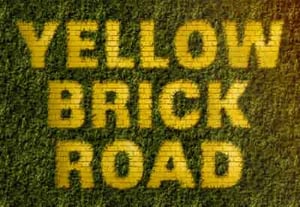
How to Create a Yellow Brick Road Inspired Text Effect in Adobe Photoshop

How to Create Organic Textures for the Scarecrow in Adobe Photoshop

How to Create Tin Man From The Wizard of Oz Using Adobe Illustrator

Create a Fun, Seamless Yellow Brick Road and Poppy Pattern in Adobe Photoshop

Draw the Cowardly Lion From the Wizard of Oz in Adobe Illustrator

Use Filter Forge and Adobe Photoshop to Create a Yellow Brick Road

Create a Photo Manipulation of the Emerald City of Oz With Adobe Photoshop

Adobe Photoshop for Kids: Become the Wizard of Oz!

Create the Wicked Witch of the West in Adobe Illustrator

Fly, My Pretty! How to Draw a Winged Monkey Step by Step

Create a Hot Air Balloon Scene From The Wizard of Oz in Adobe Photoshop

Click Your Heels Twice: How to Draw Sequin Ruby Slippers

How to Create a Vintage Typographic Illustration Poster in Adobe Illustrator

