

Create a Volumetric Candle Using Blender 2.5
3 PostsThe smoke simulation system within Blender 2.5 received a huge amount of attention from both developers and users alike. As the builds continue, a lot of things have been fixed or improved, and there are some exciting features! In this series we will introduce you to almost all of these features in a single project, and create a candle with a volumetric flame.View Learning Guide...
An Intro to Valve's Source SDK
3 PostsIn this three part series, Ben Henry walks you through Valve's incredibly popular Source SDK. With a focus on the beginner, this series starts with the basics and progresses towards building you own level. Valve's software is widely-regarded as some of the greatest on the planet, and the Source SDK is no exception. So jump in and get started!View Learning Guide...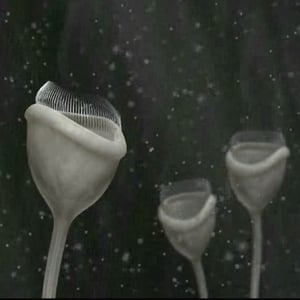
Construct a Microcosm Using Blender 2.5
4 PostsIn this advanced level Blender 2.5 tutorial, Frederik Steinmetz walks you through how he modeled and rigged his Microcosm creation. The series delves into complex particle and hair simulations, material creation, texturing, lighting and finally, how nodes can be used to add realistic depth of field.View Learning Guide...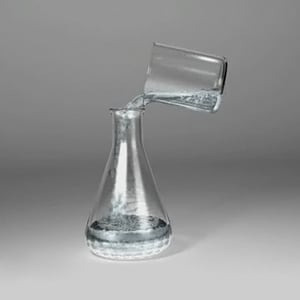
Release Your Inner Chemist With Maya
2 PostsIn this series, Alan Monroig walks you through a chemical mixing scene using Maya fluids. In the first tutorial, you'll model the objects needed and learn how to setup the initial fluid state. In the second part, you'll go on to complete the fluid animation itself and add some smoke to the scene.View Learning Guide...
Creating the 'Art Machine' Ident in Cinema 4D
2 PostsIn this two-part tutorial, Mitchell Hart takes us through his work on the awesome 'Art Machine' ident. After modeling it from scratch in this first part, Mitchell then goes on to explain animation, texturing and rendering in the second part.View Learning Guide...
Create an Amazing Pulverize Effect with Houdini
2 PostsIn this two part series, Alvaro Castaneda walks you through how to completely pulverize characters and objects using Side Effect’s Houdini 11. In the first tutorial, you'll setup a basic node-network before moving onto part 2, where you'll learn how to complete the effect and art-direct the dynamics to ensure you get the look you want.View Learning Guide...

