

Vector Text Effects
22 PostsThe right text effect can be one of the most important elements in any design or illustration. Often text effects involve an interesting combination of unique vector tool usage, artistic innovation, a designers eye for font choice, drawing skills, and an illustrator's touch. In this Creative Session, take your text to the next level with these vector text effect tutorials.View Learning Guide...
Create a Dynamic Building Asset Using Cinema 4D’s Xpresso
3 PostsThis three part series by Cinema 4D Xpresso wizard Aleksey Voznesenski, focuses on how to build a dynamic high-rise digital asset using C4D’s powerful Xpresso expression system. Along the way you’re sure to pick up plenty of production-ready tips! So jump in and learn how to speed up your work flow by harnessing the power of this amazing, fast and flexible system!View Learning Guide...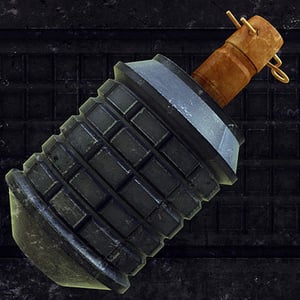
Construct a Detailed Type 97 Hand Grenade in Cinema 4D
2 PostsIn this two part video tutorial series, you'll go through the complete process of modeling, unwrapping, and texturing a Type 97 hand grenade, the standard fragmentation grenade that was used by the Imperial Japanese Army in WWII. You'll create the model using the lathe and boole functions in C4D, learn how unwrap it using BodyPaint, and finally paint the texture maps in Photoshop.View Learning Guide...
Photoshop Tutorials for Beginners
16 PostsPhotoshop Tutorials For Beginners is a collection of some of the very best material we have to help those who are new to Photoshop learn the basics.View Learning Guide...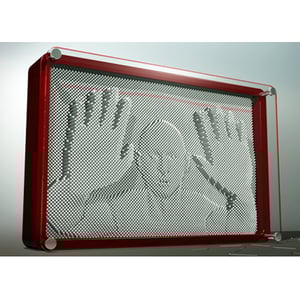
Create an Animated Pinboard Effect in 3D Studio Max
2 PostsIn this series, you'll learn three different methods for creating an animated pinboard effect in 3D Studio Max. You'll start with the easiest method, a Scatter Compound object. You’ll then move on to re-create the effect using the power of Particle Flow. And finally, you'll harness the power of nodes and rules in Thinking Particles to achieve the effect for a third time.View Learning Guide...
Icon Design
20 PostsIcons can range in level of detail, from the simple and symbolic, to those with realism and intricate detail. In either case, they need to be metaphorically meaningful and instantly recognizable. They have to communicate at a glance. We've assembled the best tutorials, articles, and resources we have on icon design here on Vectortuts+ into this Creative Session. Learn how to create functional and beautiful vector icons that will fit seamlessly within your designs.View Learning Guide...

