- Overview
- Transcript
3.2 Shading in Practice
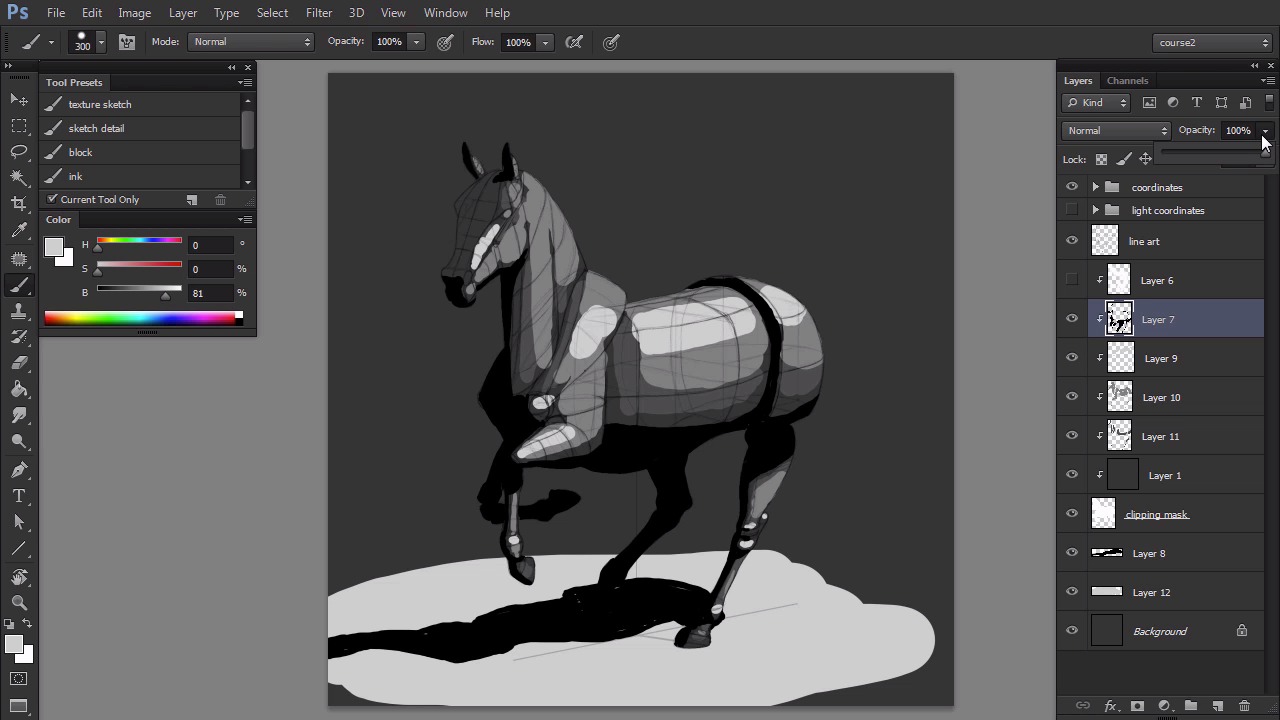
In this lesson you will learn how to shade the animal in a quick, sketchy way. You will also learn how to use ambient occlusion to make the process faster and more accurate.
1.Introduction1 lesson, 03:05
1 lesson, 03:05
1.1Introduction03:05
1.1
Introduction
03:05
2.Theory2 lessons, 15:43
2 lessons, 15:43
2.1Where Shadows Come From07:31
2.1
Where Shadows Come From
07:31
2.2How to Shade a Simple Scene08:12
2.2
How to Shade a Simple Scene
08:12
3.Efficient Shading in Adobe Photoshop3 lessons, 18:59
3 lessons, 18:59
3.1How to Plan Shading06:46
3.1
How to Plan Shading
06:46
3.2Shading in Practice05:57
3.2
Shading in Practice
05:57
3.3Final Rendering06:16
3.3
Final Rendering
06:16
4.Conclusion1 lesson, 01:46
1 lesson, 01:46
4.1Conclusion01:46
4.1
Conclusion
01:46
I'm a Polish artist with a great passion for creating new things—whether by drawing, digital painting, or photo manipulation.
I have 10+ years of experience in using Adobe Photoshop and Adobe Illustrator, both for graphic design and for creating unique works of art as well. I hold a degree in graphic design, but nowadays I work as a freelance illustrator and a tutorial author. I specialize in creating realistic art, especially of animals, and I'm good at designing imaginary creatures in a realistic way. I'm a big fan of dragons and feline creatures!
Because I learn the best by teaching, and I love sharing my skills with others, in my free time I like to create educational posts on my own blog. I also share the behind-the-scenes of my art on my Instagram. I consider myself an unofficial ambassador of Sketchbook Pro, a seriously underrated program for digital art, which I use every day in my work. You can learn more about me on the Sketchbook Blog: https://www.sketchbook.com/blog/animals-creatures-by-monika-zagrobelna