- Overview
- Transcript
3.1 How to Plan Shading
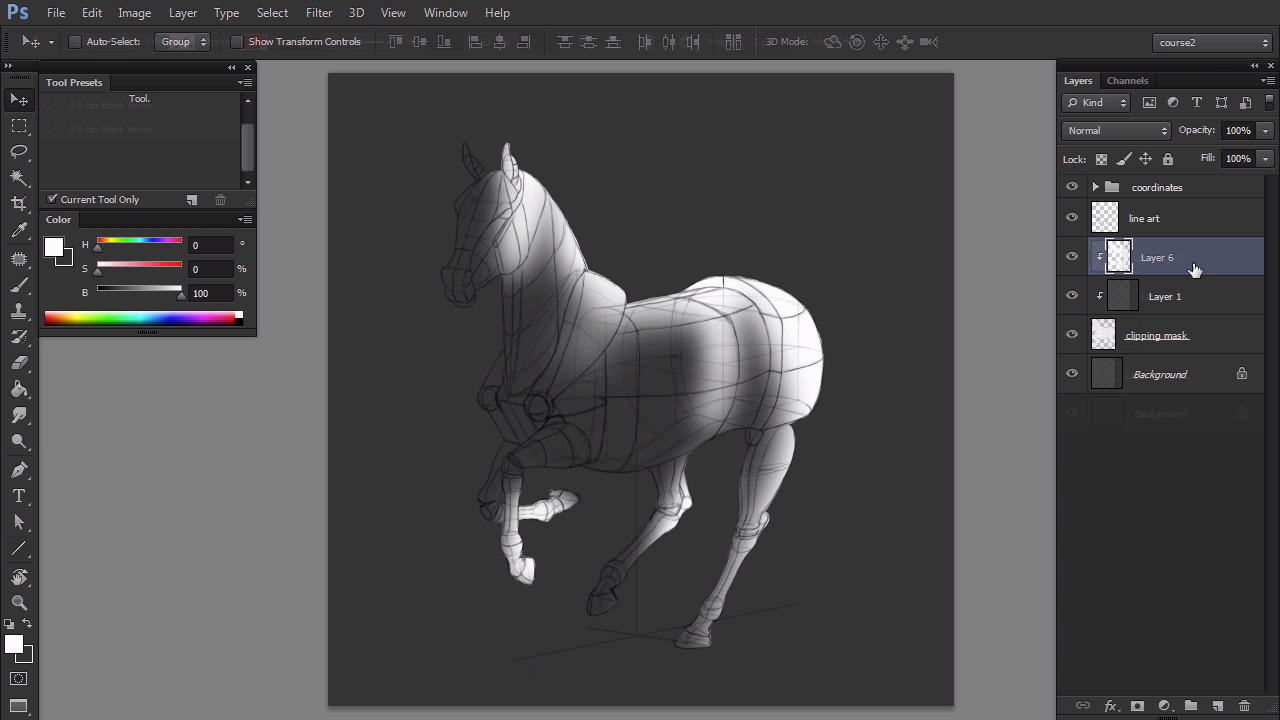
In this lesson you will learn how to establish the light source in accordance with the perspective of the scene. I will show you the process that leads to the creation of the terminator line over the animal's body.
You can learn how to create Clipping Masks in my previous course, The Basics of Coloring and Shading Line Art in Adobe Photoshop.
1.Introduction1 lesson, 03:05
1 lesson, 03:05
1.1Introduction03:05
1.1
Introduction
03:05
2.Theory2 lessons, 15:43
2 lessons, 15:43
2.1Where Shadows Come From07:31
2.1
Where Shadows Come From
07:31
2.2How to Shade a Simple Scene08:12
2.2
How to Shade a Simple Scene
08:12
3.Efficient Shading in Adobe Photoshop3 lessons, 18:59
3 lessons, 18:59
3.1How to Plan Shading06:46
3.1
How to Plan Shading
06:46
3.2Shading in Practice05:57
3.2
Shading in Practice
05:57
3.3Final Rendering06:16
3.3
Final Rendering
06:16
4.Conclusion1 lesson, 01:46
1 lesson, 01:46
4.1Conclusion01:46
4.1
Conclusion
01:46
I'm a Polish artist with a great passion for creating new things—whether by drawing, digital painting, or photo manipulation.
I have 10+ years of experience in using Adobe Photoshop and Adobe Illustrator, both for graphic design and for creating unique works of art as well. I hold a degree in graphic design, but nowadays I work as a freelance illustrator and a tutorial author. I specialize in creating realistic art, especially of animals, and I'm good at designing imaginary creatures in a realistic way. I'm a big fan of dragons and feline creatures!
Because I learn the best by teaching, and I love sharing my skills with others, in my free time I like to create educational posts on my own blog. I also share the behind-the-scenes of my art on my Instagram. I consider myself an unofficial ambassador of Sketchbook Pro, a seriously underrated program for digital art, which I use every day in my work. You can learn more about me on the Sketchbook Blog: https://www.sketchbook.com/blog/animals-creatures-by-monika-zagrobelna