
 Lessons: 26Length: 3.2 hours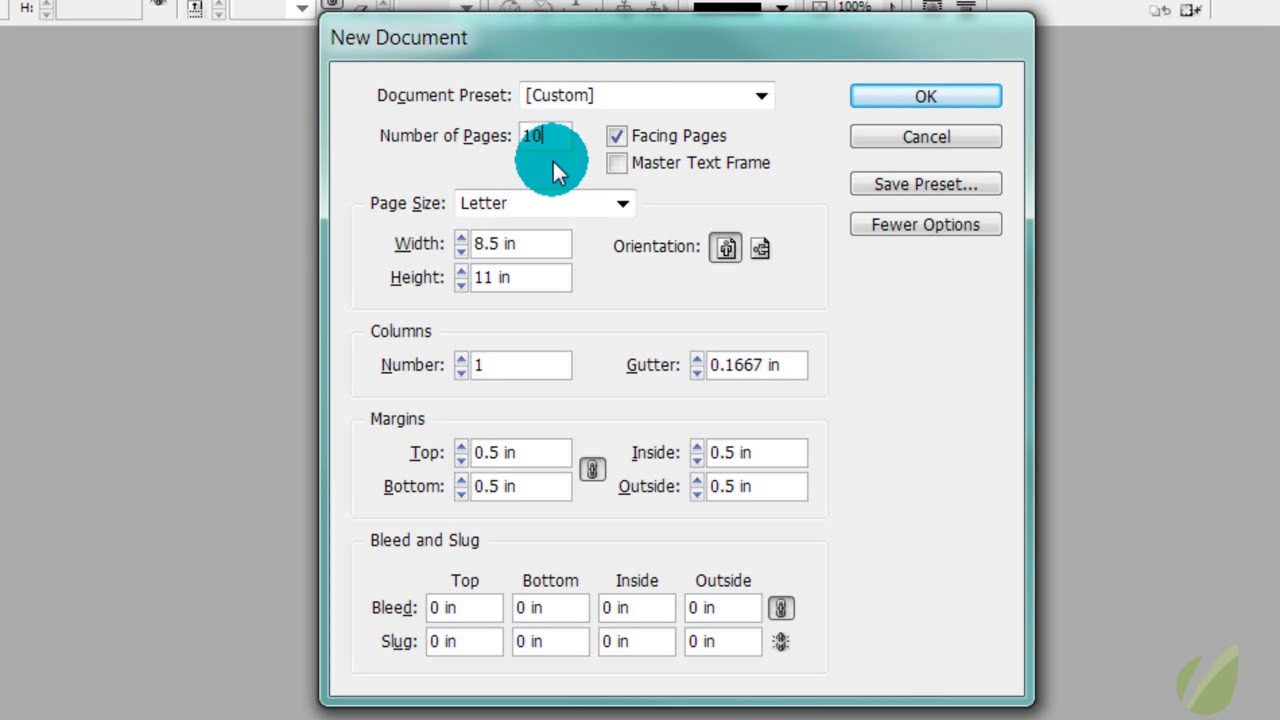
- Overview
- Transcript
3.2 Setting up the Document
In this lesson, you will go through the basic steps of creating a blank document in InDesign.
1.Introduction
1.1Course Overview00:36
1.1
Course Overview
00:36
1.2Designing for Print Media Versus Other Media04:31
1.2
Designing for Print Media Versus Other Media
04:31
1.3Print Examples04:05
1.3
Print Examples
04:05
2.Foundation
2.1Overview01:16
2.1
Overview
01:16
2.2Elements of Design11:34
2.2
Elements of Design
11:34
2.3Principles of Design15:00
2.3
Principles of Design
15:00
2.4Overcoming Common Design Mistakes04:45
2.4
Overcoming Common Design Mistakes
04:45
3.InDesign Basics
3.1Indesign Overview01:42
3.1
Indesign Overview
01:42
3.2Setting up the Document09:10
3.2
Setting up the Document
09:10
3.3Grids & Guides08:06
3.3
Grids & Guides
08:06
3.4Custom Workspaces & Palettes07:48
3.4
Custom Workspaces & Palettes
07:48
3.5Working with Master Pages05:17
3.5
Working with Master Pages
05:17
3.6Linking Content06:28
3.6
Linking Content
06:28
4.First Project: Brochure
4.1Project Overview01:28
4.1
Project Overview
01:28
4.2Breaking Up the Content03:51
4.2
Breaking Up the Content
03:51
4.3Layout & Composition11:17
4.3
Layout & Composition
11:17
4.4Course Project: Brochure Part One21:01
4.4
Course Project: Brochure Part One
21:01
4.5Course Project: Brochure Part Two11:29
4.5
Course Project: Brochure Part Two
11:29
5.Developing a Design
5.1Color09:57
5.1
Color
09:57
5.2Typography09:56
5.2
Typography
09:56
5.3Images05:22
5.3
Images
05:22
5.4Lines & Shapes09:23
5.4
Lines & Shapes
09:23
5.5Effects08:25
5.5
Effects
08:25
6.Conclusion
6.1Final Formatting: Preflight05:50
6.1
Final Formatting: Preflight
05:50
6.2PDF Presets14:30
6.2
PDF Presets
14:30
6.3How to Apply Your New Skills to Any Print Project02:12
6.3
How to Apply Your New Skills to Any Print Project
02:12


