
 Lessons: 18Length: 2.8 hours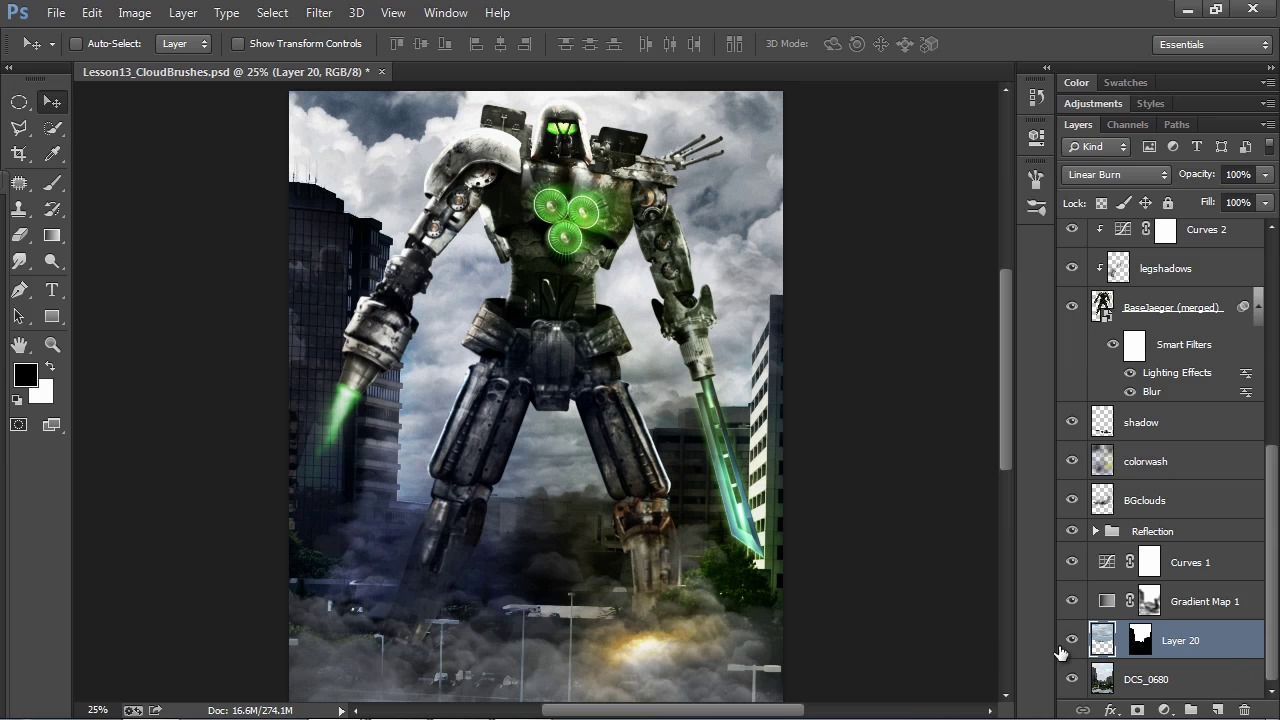
- Overview
- Transcript
4.6 Additional Effects
Let's now finish up our photo-manipulation with a few final techniques to enhance and polish the composition.
1.Introduction
1.1Introduction04:55
1.1
Introduction
04:55
2.Getting Ready
2.1Source Photos06:37
2.1
Source Photos
06:37
2.2The Basic Setup11:50
2.2
The Basic Setup
11:50
3.Creating Your Photo-Manipulation
3.1Model Preparation09:34
3.1
Model Preparation
09:34
3.2Mechanical Parts10:55
3.2
Mechanical Parts
10:55
3.3Creating Armor Shells11:02
3.3
Creating Armor Shells
11:02
3.4Rundown of Mechanical Parts18:15
3.4
Rundown of Mechanical Parts
18:15
3.5Creating Weaponry09:52
3.5
Creating Weaponry
09:52
4.Adding Effects and Enhancements
4.1Scratch and Rust Effects11:07
4.1
Scratch and Rust Effects
11:07
4.2Glow Effects12:44
4.2
Glow Effects
12:44
4.3Environment Effects11:53
4.3
Environment Effects
11:53
4.4Lighting Effects09:51
4.4
Lighting Effects
09:51
4.5Cloud Brushes10:14
4.5
Cloud Brushes
10:14
4.6Additional Effects09:14
4.6
Additional Effects
09:14
5.Adding Text
5.1Title Text07:45
5.1
Title Text
07:45
5.2Rift Emblem04:24
5.2
Rift Emblem
04:24
5.3Official Poster Text06:54
5.3
Official Poster Text
06:54
6.Conclusion
6.1Conclusion03:45
6.1
Conclusion
03:45


