Learn 3D design with our free tutorials

Bring your ideas to life in three dimensions with our 3D design tutorials. From modeling to animation, we'll help you create amazing visual experiences.

All 3D Design content:

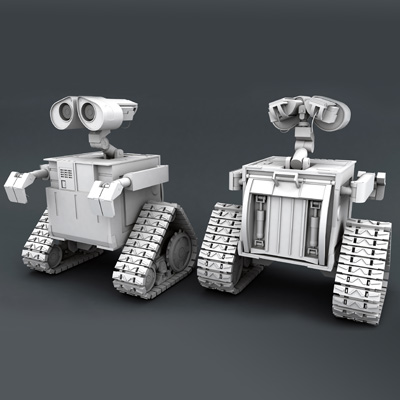
  1. Recreating Pixar's Wall-e in High Poly Using Maya 2012: Part 12

    Recreating Pixar's Wall-e in High Poly Using Maya 2012: Part 12

    Tutorial Beginner

    Today's lesson is all about adding mobility to Wall-e, as you construct the final mechanical elements and joints for his hands and wrists, and begin working...

  2. Commercial Production Series: Canon EFS 55-250mm Lens - Part 7

    Commercial Production Series: Canon EFS 55-250mm Lens - Part 7

    Tutorial Intermediate

    In this part of the series, you'll move from Cinema 4D to After Effects and start adding the final touches and adjustments to your 3D renders. You'll learn...

  3. Create a Stylized Snowman and Xpresso Driven Trees in Cinema 4D - Part 4

    Create a Stylized Snowman and Xpresso Driven Trees in Cinema 4D - Part 4

    Tutorial Beginner

    In the final part of the Snowman series, we'll harness the raw power of Xpresso to create a snow covered tree for our scene. We'll use a series of Xpresso...

  4. Modeling, Texturing & Rigging a Realistic Shark in 3D Studio Max - Part 2

    Modeling, Texturing & Rigging a Realistic Shark in 3D Studio Max - Part 2

    Tutorial Intermediate

    In this part of the series, you'll create UVs for the Shark using the UVW Unwrap modifier and apply textures.

  5. Create a Stylized Snowman and Xpresso Driven Trees in Cinema 4D - Part 3

    Create a Stylized Snowman and Xpresso Driven Trees in Cinema 4D - Part 3

    Tutorial Beginner

    In this part of the tutorial, we'll create the environment for our scene, add lighting and create a series of materials that use a careful balance of color,...

  6. Constructing a Strikingly Accurate Tattoo Gun in Maya - Part 6

    Constructing a Strikingly Accurate Tattoo Gun in Maya - Part 6

    Tutorial Intermediate

    With the modeling portion of the series now complete. You'll begin the all important UVMapping phase, where you'll learn how to generate flawless UVs for...

  7. Create a Stylized Snowman and Xpresso Driven Trees in Cinema 4D - Part 1

    Create a Stylized Snowman and Xpresso Driven Trees in Cinema 4D - Part 1

    Tutorial Beginner

    In this tutorial we’ll create a stylized snowman and some Xpresso-based Christmas trees, it’ll be fun! First, we’ll go over the modeling of the snowman using...

  8. Commercial Production Series: Canon EFS 55-250mm Lens - Part 6

    Commercial Production Series: Canon EFS 55-250mm Lens - Part 6

    Tutorial Intermediate

    In this part of the series, we'll finish up the animations for our final two shots. Once we have them setup and ready, our work in Cinema 4D will be...

  9. Constructing a Strikingly Accurate Tattoo Gun in Maya - Part 5

    Constructing a Strikingly Accurate Tattoo Gun in Maya - Part 5

    Tutorial Intermediate

    High poly, hard surface modeling in Maya is the subject of this tutorial series folks. And the topic is a personal fascination of mine – a tattoo gun (AKA a...

  10. Commercial Production Series: Canon EFS 55-250mm Lens - Part 5

    Commercial Production Series: Canon EFS 55-250mm Lens - Part 5

    Tutorial Intermediate

    In the fifth part of the series, we'll take the lens model and breath life into it by animating four of the six different shots needed for our fake...

  11. Create a Stylized Strawberry Character With ZBrush and Keyshot

    Create a Stylized Strawberry Character With ZBrush and Keyshot

    Tutorial Intermediate

    In this tutorial you'll learn how to sculpt a stylized strawberry character from scratch using ZBrush and how to render with Keyshot. Topics include modeling...

  12. Recreating Pixar's Wall-e in High Poly Using Maya 2012: Part 11

    Recreating Pixar's Wall-e in High Poly Using Maya 2012: Part 11

    Tutorial Beginner

    Laszlo Mandi is back with the next chapter in his stellar Wall-e modeling series for Maya. In this lesson, you’ll pick up from where you left off last time...