Learn Adobe Photoshop

Master the industry-standard software for graphic design with our Adobe Photoshop tutorials. Learn new skills and complete hands-on projects from start to finish.

Getting started with Adobe Photoshop

  • How to Create a Rubber Stamp Effect in Adobe Photoshop

    How to Create a Rubber Stamp Effect in Adobe Photoshop

    John Negoita
  • How to Create a Sketch Effect Action in Adobe Photoshop

    How to Create a Sketch Effect Action in Adobe Photoshop

    Marko Kožokar
  • 30 Cool Photoshop Photo Effects to Add Style & Wow

    30 Cool Photoshop Photo Effects to Add Style & Wow

    Melody Nieves
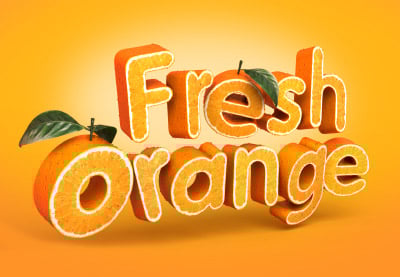
    1. Create a 3D, Fruit-Textured, Text Effect

      Create a 3D, Fruit-Textured, Text Effect

      Tutorial Advanced

      Use a combination of Modo, Photoshop, and Illustrator to create a text effect made of oranges.

    2. Create an Address Book Icon in Photoshop

      Create an Address Book Icon in Photoshop

      Tutorial Beginner

      In this tutorial, I will show you how to create an address book icon using Adobe Photoshop. I will begin by explaining how to set up a simple grid, and how...

    3. Create a Mobile Checkers Game Interface in Photoshop

      Create a Mobile Checkers Game Interface in Photoshop

      Tutorial Beginner

      In this tutorial, I will show you how to create an interface for a mobile checkers game in Photoshop. I will begin by showing you how to set up a simple...

    4. Create a Kaleidoscope Effect in Photoshop

      Create a Kaleidoscope Effect in Photoshop

      Tutorial Beginner

      Photography is a skill that I believe most designers should have at least a fundamental understanding of. You never know when you might need to run out and...

    5. Create a High-Gloss, Bubble Gum Text Effect in Photoshop

      Create a High-Gloss, Bubble Gum Text Effect in Photoshop

      Tutorial Advanced

      When combined with the right techniques, the Pen Tool in Photoshop is an incredibly powerful tool to help you create your artwork. In this tutorial, I will...

    6. How to Design an iOS 7 Email App in Photoshop

      How to Design an iOS 7 Email App in Photoshop

      Tutorial Intermediate

      In this tutorial, I will show you how to create a flat and modern, Gmail-inspired, iOS7 email app in Photoshop. We will begin by showing you how to sketch...

    7. Create a Mobile Shopping App Design in Photoshop

      Create a Mobile Shopping App Design in Photoshop

      Tutorial Intermediate

      In this tutorial, I will show you the techniques used to create a modern and flat user interface (UI) design for an iPad app.

    8. Create Animated Falling Snow in Photoshop

      Create Animated Falling Snow in Photoshop

      Tutorial Beginner

      Digitally created snow can often be quite difficult to generate in Photoshop, in a realistic-looking way. We recently published a tutorial showing how to add...

    9. Create a Seamless, 3D, Geometric Pattern in Photoshop

      Create a Seamless, 3D, Geometric Pattern in Photoshop

      Tutorial Beginner

      Seamless patterns are a fun and easy way to add some interest to your graphic designs. Patterns, however, can be a bit intimidating to some artists, as it is...

    10. Create a 3D Sports Graphics Illustration

      Create a 3D Sports Graphics Illustration

      Tutorial Advanced

      In this tutorial, I will show you how to create a 3D sports graphics illustration using Adobe Illustrator to create and export basic paths, Cinema 4D to...

    11. Advanced Photo Manipulation: Movie Poster Effects

      Advanced Photo Manipulation: Movie Poster Effects

      Course Advanced

      Kirk Nelson is back with another course on advanced photo-manipulation techniques. This time he'll take you on a creative journey through the world of...

    12. What's New in Filter Forge 4.0?

      What's New in Filter Forge 4.0?

      Tutorial Beginner

      Filter Forge is a versatile Photoshop plugin, which can be used to create many different types of textures and effects. Its online Filter Library provides...