


As your Adobe Creative Cloud subscription renewal approaches, the thought of exploring more cost-effective alternatives might be crossing your mind. In this article, we'll delve into a comparison of Adobe Creative Cloud and Affinity, two popular suites that cater to different needs and preferences.
If you prefer to watch video content, here's a new video from the Envato Tuts+ YouTube channel to help you learn more:

Jump to content in this section:
Adobe vs. Affinity: An Overview
Adobe Creative Cloud, an industry standard for decades, offers a vast range of applications spanning motion graphics, video editing, UI design, and more. On the other hand, Affinity, a newer suite owned by the UK-based company Serif, focuses on photo editing, vector graphics, and publishing. This comparison will center around Photoshop vs. Affinity Photo, Illustrator vs. Affinity Designer, and InDesign vs. Affinity Publisher.
Pricing and Subscription Models
One of the most significant differences between the two is their pricing structure.
As of November 2023, Affinity offers a one-time purchase model, with each product priced at $70 for Mac and Windows and $19 for iPad. The entire suite costs $165.
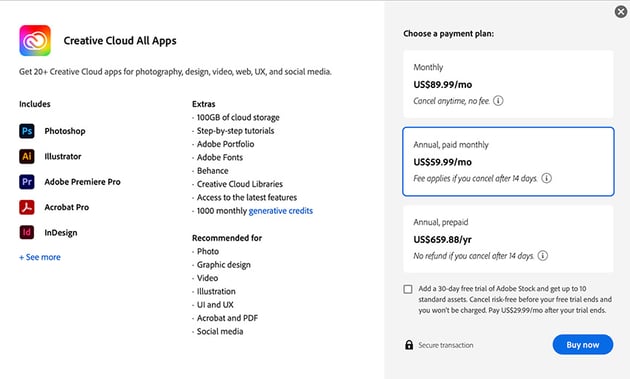
In contrast, Adobe Creative Cloud follows a subscription-only model, with options ranging from $10/month to $90/month. Adobe offers a wide variety of subscription options with discounts for annual commitments, pre-paid instead of monthly billing, student & educator discounts, and other periodic discounts.
These prices are current as of November 2023, but you'll want to check Adobe's site carefully before subscribing since their prices change frequently. Affinity proves to be more cost-effective in both short and long-term scenarios, eliminating concerns about losing access to your work if the subscription lapses.



Features and Tools in Affinity and Adobe
Photoshop vs. Affinity Photo
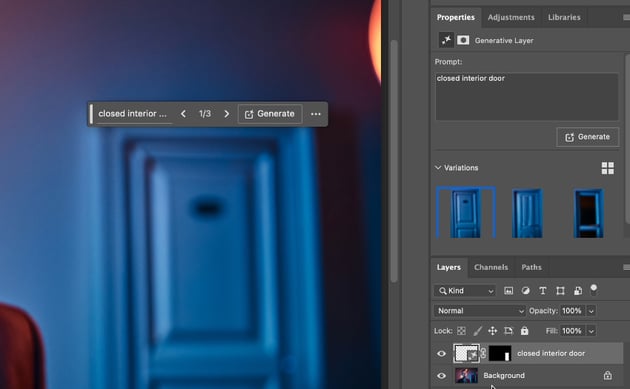
Both offer advanced photo-editing features, but Adobe Photoshop, an industry standard, boasts AI tools like generative fill, generative expand, and AI-powered selection.

Affinity Photo, being newer, excels in performance and integration with other Affinity apps. Photo is quite similar to Photoshop before AI tools were introduced, and perhaps a little faster than Photoshop when it comes to routine raster editing.
Photo lacks some of the advanced features that have been added to Photoshop over the years, like animation and 3D, but it's worth noting that Adobe has started sunsetting some of those features like 3D in Photoshop. On the other hand, Photo provides excellent compatibility, even with Adobe formats like PSD. If you're worried about losing access to your work when you quit paying your Adobe subscription, Photo can provide access to many of those files and can even open Illustrator .AI files.

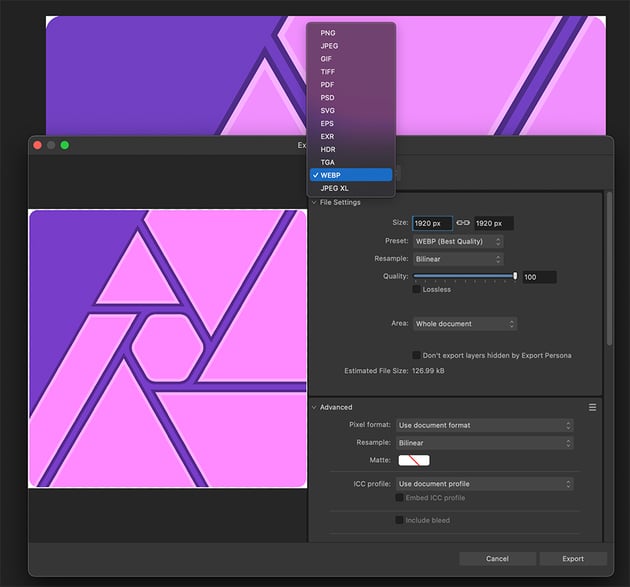
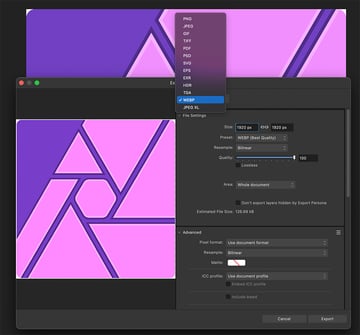
Lightroom integration is another aspect that you will want to consider before making a commitment. Lightroom is designed to integrate with Photoshop easily, and you can simply click "send to Photoshop" to make complex edits.
It is possible to use Photo with Lightroom, but it's not as smooth. It will require that you export images from Lightroom as TIF, PSD, EXR, or some other layered format, open it in Photo, save your changes, and then re-import to Lightroom. Since Lightroom is available as a standalone subscription, using it with Affinity Photo could save you some money.
Photoshop is a more capable application overall, and its integration with Lightroom is a major consideration for photographers, but it may be overkill for most users.
Illustrator vs. Affinity Designer
Adobe Illustrator boasts a massive user base and unique tools like image trace, blend, 3D, and generative AI. It does feel quite dated and sluggish, however, and common tasks like clipping and masking require far more steps than they should. Dealing with raster graphics in Illustrator has always been a headache too.

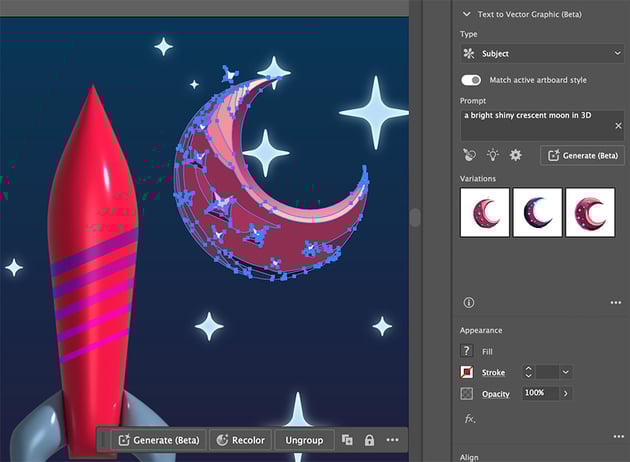

Affinity Designer lacks some of the specialized tools like blend and image trace but offers a much faster, more streamlined interface. It also provides a different approach to symbols and better support for raster graphics through the pixel persona. Drawing and painting are far more streamlined in Affinity Designer thanks to its support for pen tablets.

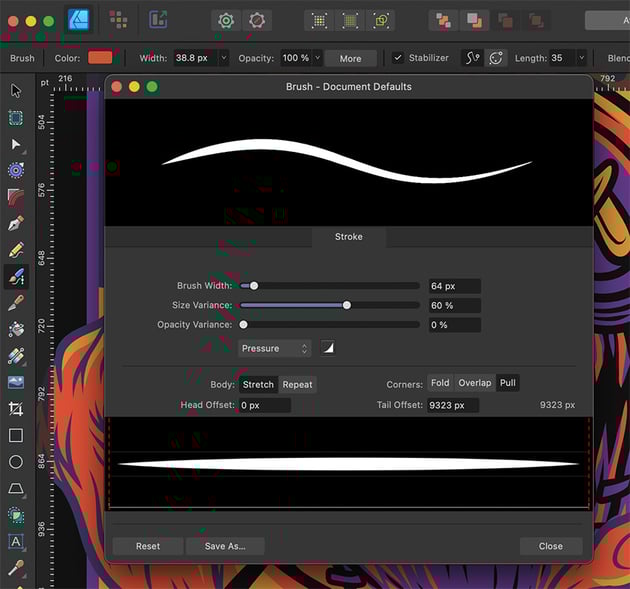

If you prefer drawing to clicking and dragging, you'll appreciate Affinity Designer as it's more like painting with vectors. Affinity's interface is also much more straightforward when it comes to clipping, masking, and compound shapes. On the other hand, if you depend on tools like image trace or blend, you may want to stick with Illustrator for now. Although some of the tools Illustrator offers are available in open-source apps like Inkscape, jumping back and forth between Designer and another app is not ideal.
Adobe InDesign vs. Affinity Publisher
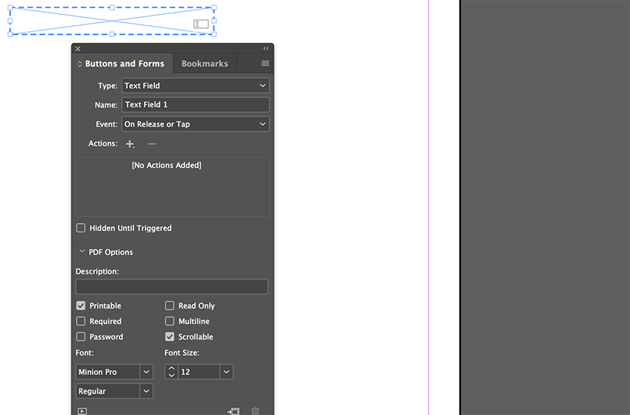
While InDesign is an industry standard, Affinity Publisher, the newest addition to the Affinity suite, closely matches its features. One of the few exceptions is InDesign's ability to generate interactive PDF forms. Much of the same work can be accomplished in Acrobat, but I still prefer to do that in InDesign.


Affinity Publisher, however, offers much better integration with apps in the Affinity suite and enhanced asset management. While InDesign requires that you make raster edits in Photoshop and vector art in Illustrator, Publisher includes both Designer and Photo as personas within the Publisher interface and manages all of the linking automatically. Anyone who's ever found themselves relinking multiple layers from a PSD within InDesign will appreciate Affinity Publisher's approach. Publisher also provides a more intuitive system for managing paragraph styles, style groups, and character styles.


Mobile Apps
Adobe's mobile apps are limited, designed as supplements to the desktop apps. As such, you'll need to use Creative Cloud to get work from your iPad to your desktop if you plan on drawing. At the same time, drawing in Illustrator is still a pretty clunky experience, and even if you're working with a Cintiq or a tablet connected to the computer, drawing support is lacking. One app that stands out, however, is Adobe Capture, which is a surprisingly handy app that can sample color schemes, vector shapes, 3D textures, patterns, and even fonts with your phone's camera.


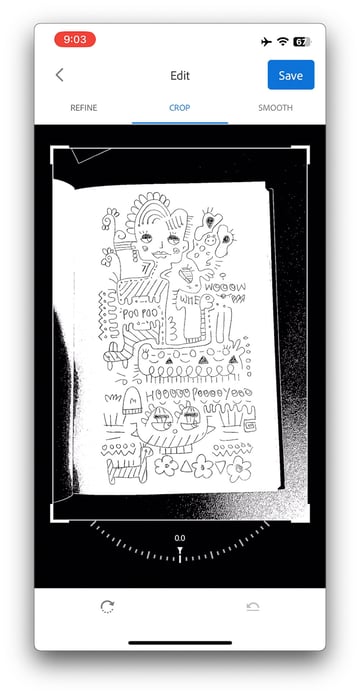
Affinity's full-featured iPad apps are a much more robust solution. You can truly leave the computer at home and do much of what you need to on an iPad. Unfortunately, there are no Android versions just yet, but the drawing and painting experience on Windows touchscreen devices is quite good.
Industry Considerations
For graphic design, illustration, and print, Affinity is an excellent choice. Motion design leans towards Creative Cloud, especially for After Effects. UI design can benefit from Affinity as a supplement to other tools. Photography depends on budget considerations, while Adobe remains unparalleled in film and video production.
Final Verdict: What's Creative Cloud Worth to You?
Affinity may be a worthy investment, even for Adobe subscribers, offering a way to work with Adobe files without a continuous subscription. Adobe's subscription-only model can be a drawback, particularly if you want to maintain control over your intellectual property.
In conclusion, the choice between Adobe Creative Cloud and Affinity comes down to individual needs, preferences, and budget considerations. Evaluate your specific requirements and workflow to make an informed decision that aligns with your creative goals.
Interested in more detailed tutorials and guides? We have what you need on Envato Tuts+:

 A to Z of Affinity Designer: Tips, Tricks, and Hacks!


 A to Z of Affinity Photo: Tips, Tricks, and Hacks!


 A to Z of Affinity Publisher: Tips, Tricks, and Hacks


 15 Tips & Tricks All Affinity Publisher Users Should Know


 Affinity Publisher for Beginners

 Transitioning From Adobe Photoshop to Affinity Photo

 A to Z of Photoshop: Tips, Tricks, & Hacks!

 Adobe Photoshop 2024 Updates | From Adobe MAX 2023

 Adobe Illustrator 2024 Updates | From Adobe MAX 2023


 Adobe InDesign 2024 Updates | From Adobe MAX 2023

.
 By
By



