


You have a unique opportunity to expand the functionality of Adobe Illustrator. There's nothing easier than using Illustrator scripts: just select the object and run the script you need! The scripts presented in this post will save you plenty of time and will make your work more pleasant and efficient. Believe me, it's worth your attention.
If you need premium-quality Illustrator add-ons, then we have a number of Illustrator actions and scripts available for purchase on Envato Elements, such as Amazing Shadow Actions and Gutenberg Letterpress Action.
Otherwise, jump in and grab one of the freebies below. But first, let's look at how to install Illustrator scripts.
Jump to content in this section:
- How to Install Scripts
- Adjust Dashes (Offset)
- Arc Correction
- Arrow-A, Arrow-V
- Circumcircle
- Common Tangents
- Divide (Length)
- Extend Handles
- Merge Overlapped Anchors
- Round Any Corner
- Tree-Like
- Tangents From a Point
- Add Highlight and Shadow Swatches
- Layer Export
- Layer Compose
- Specify!
- Dup at Selected Anchors
- Join Reasonably
- Generate Handles
- Metaball (Arc) and Metaball
- Dance
- 5 Premium Illustrator Scripts and Actions From Envato Elements
- Learn More About Illustrator Scripts and Actions
How to Install Scripts
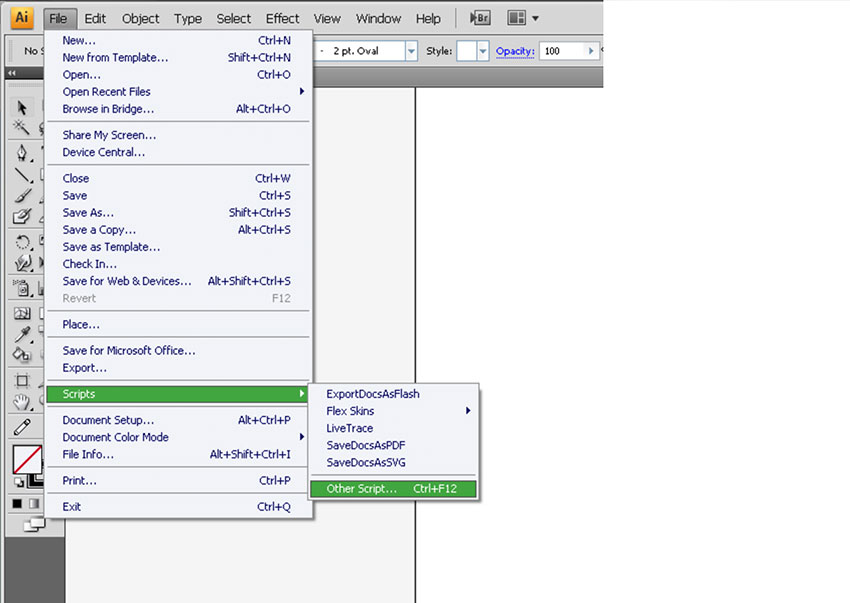
When saving the necessary script to your hard drive, it's best to keep them in the same place, for example in the Scripts folder. To run the script, go to File > Scripts > Other Scripts (Command-F12).
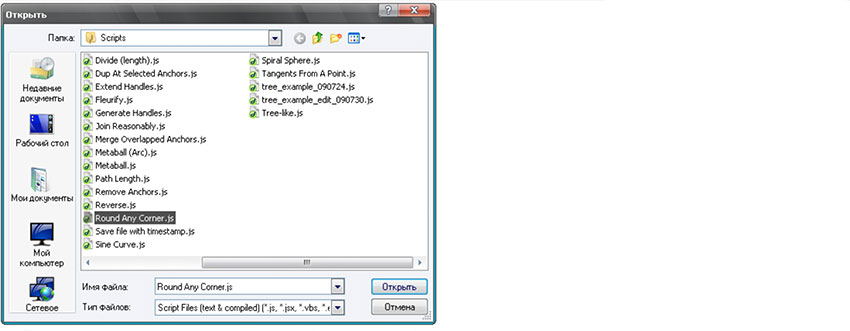
Now, open the folder with the scripts and run the necessary script.
Adjust Dashes (Offset)
Created by Hiroyuki Sato
Go to Download (download will start automatically)
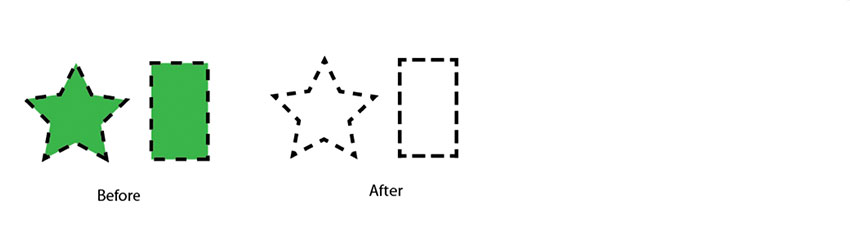
This script adjusts dashed lines in the selection to the center of the anchor points. It should be noted that this script clears fill colors. If your object originally had a fill color, it will need to be refilled.
Arc Correction
Created by Hiroyuki Sato
Go to Download (download will start automatically)
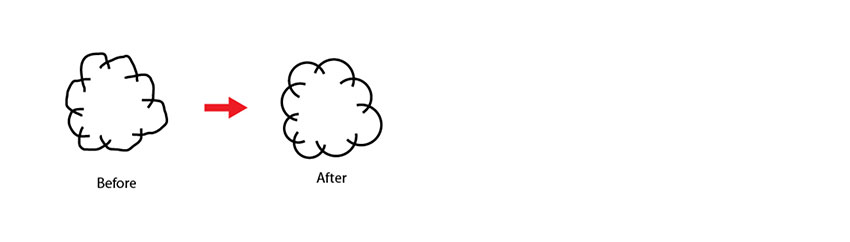
This script corrects free-hand arc-like paths in the selection. To use it, just select the paths and run this script.
Arrow-A, Arrow-V
Created by Hiroyuki Sato
Go to Download (download will start automatically)
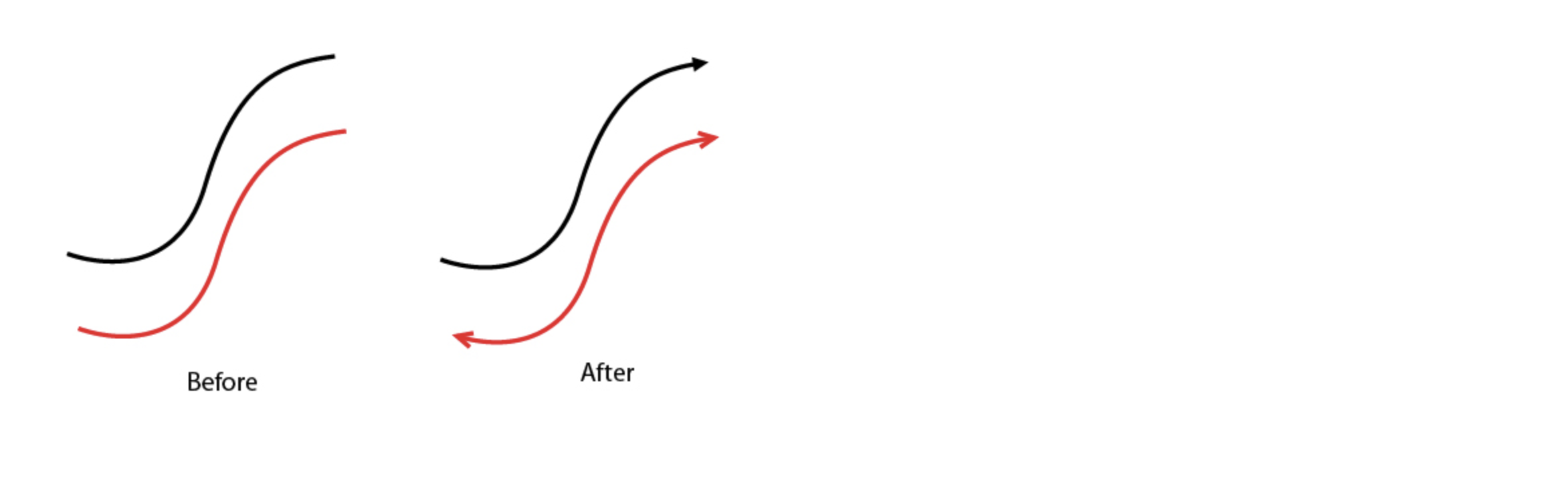
This script draws an arrow for each selected end (anchor) of the selected paths "A" and "V". The visible peaks of the arrows are exactly located at each end of the selected paths. The ends of the paths are trimmed in order to avoid sticking out from the head of the arrow.
Circumcircle
Created by Hiroyuki Sato
Go to Download (download will start automatically)
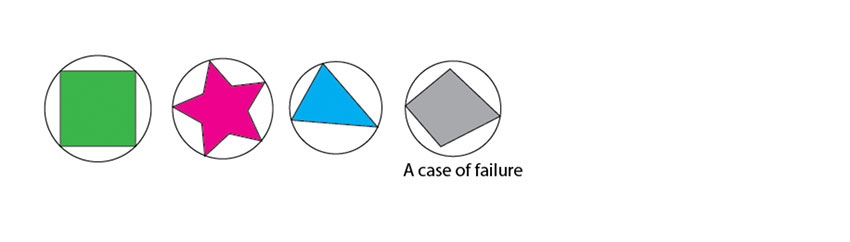
This script draws Circumcircles for each selected path. However, you must understand you cannot draw Circumcircles for all figures.
Common Tangents
Created by Hiroyuki Sato
Go to Download (download will start automatically)
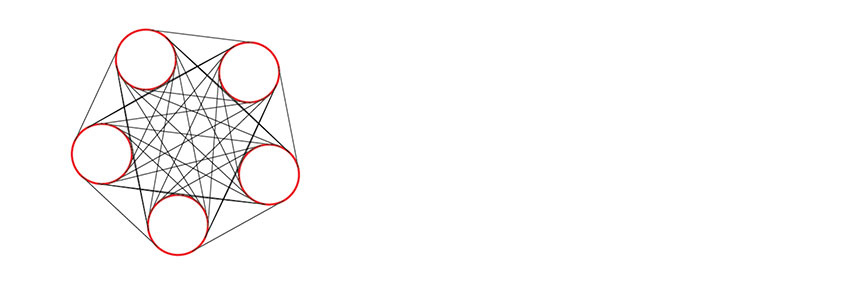
This script draws common tangents to the selected curved lines, if they are detected.
Divide (Length)
Created by Hiroyuki Sato
Go to Download (download will start automatically)
This script divides each selected segment into a specified number, based on the length. The segments within each divided segment are of equal length.

Extend Handles
Created by Hiroyuki Sato
Go to Download (download will start automatically)
This script extends all the handles of selected anchor points with the specified rate. Using this script, it is convenient to change the value of the handles of a selected anchor without changing their angle.
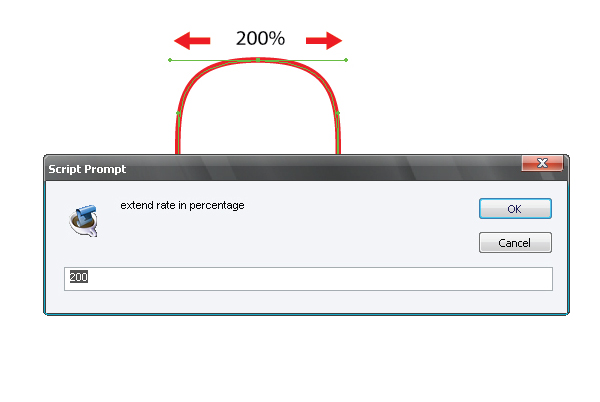
Here are a few indicators and the relevant results for a better understanding of the script's performance.
- 100: original size
- 120: extend 20%
- 80: shorten 20%
- 0: remove handles
- -100: reverse handles

Merge Overlapped Anchors
Created by Hiroyuki Sato
Go to Download (download will start automatically)
This script merges nearly overlapped anchor points and reports how many anchor points have been reduced. In order to understand the importance of this great script, let's test it. Create a straight line and go to Object > Expand.

As a result, we have five anchor points, although there should be only four of them, so one point is certainly an extra one!

This fact makes the editing of such an object very difficult, especially once you are dealing with irregular shapes.

Now let's run the script. The number of anchor points drops to about half the original number!
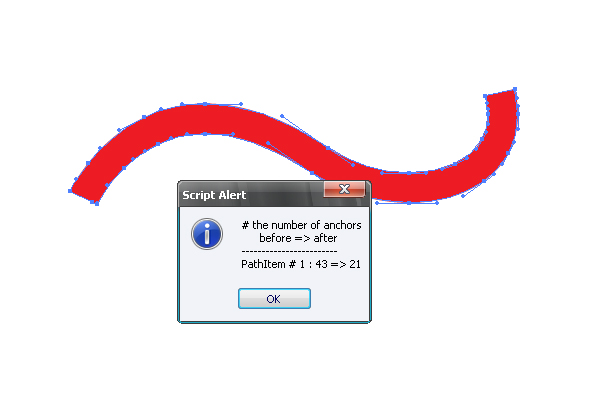
I recommend using this script always after Expand, Expand Appearance, and Offset Path commands, especially if you are going to edit the objects.
Round Any Corner
Created by Hiroyuki Sato
Go to Download (download will start automatically)
This script rounds selected corners of Path Items. Especially for the corners at the intersection point of curves, this script may work better than the "Round Corners" filter (but slower).
How to Use It
- Select the anchor(s) or whole path(es) to round.
- Run this script. A prompt box appears to set the rounding radius. Input the radius in points, and then click OK.

Tree-Like
Created by Hiroyuki Sato
Go to Download (download will start automatically)
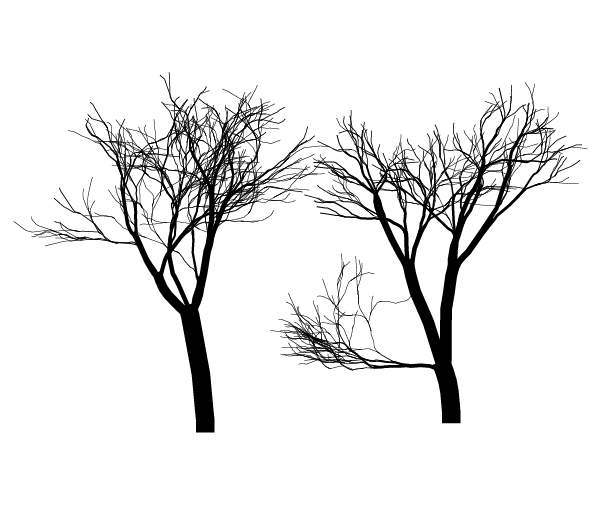
This script draws a tree-like shape at the center of the artboard. The trees are made with various line widths. So please be careful about setting the Scale Tool when you want to scale them.
Tangents From a Point
Created by Hiroyuki Sato
Go to Download (download will start automatically)
This script draws tangent lines from a selected anchor point to selected curved segments. You can use an isolated point as the starting point. In this case, the starting isolated point is removed after drawing tangents. Drawn tangents have handles at the ends, so you can move the starting side of the anchor point while keeping the tangent.


Add Highlight and Shadow Swatches
Created by John Wundes
Go to Download (available at Wundes.com)
A simple script for animators, this script takes the current fill color from the color palette. A prompt will ask you to name the color, and then it adds it to the swatch palette, along with the highlight and shadow for that color.


Layer Export
Created by William Ngan
Go to Download (download will start automatically)
This script automatically exports each layer in an Illustrator file as a separate PNG or PDF, in three easy steps:
- Layer names will become the file names. Rename if needed.
- Run the script.
- Find the exported files in the same folder as your original Illustrator file.

Layer Compose
Created by William Ngan
Go to Download (download will start automatically)
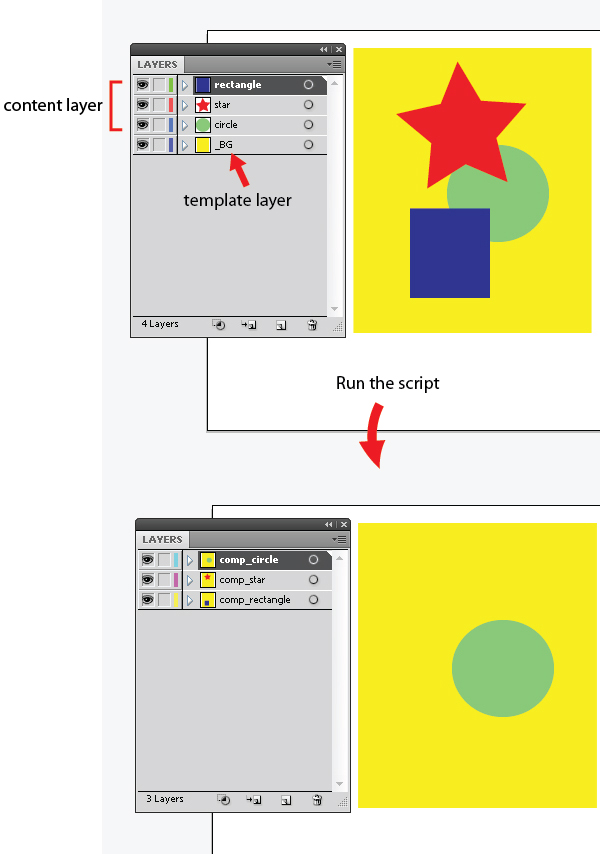
This script automatically merges content and template layers to generate compositions. Template layers are the fixed elements. For example, in a webpage layout, the header and footer may stay constant. Content layers are the dynamic elements. For example, they may show design options for a webpage layout. First, change all template layers' names. They should start with an underscore ( _xyz ). Then simply run the script.
Specify!
Created by William Ngan
Go to Download (download will start automatically)
Select one object and run the script. Confirm the orientation of the measurement. This will specify the width or height of the object.
Select two objects and run the script. This will specify the horizontal or vertical gap between the two objects.
If you group several objects and run the script, you will get the size of the group of objects.

Dup at Selected Anchors
Created by Hiroyuki Sato
Go to Download (download will start automatically)
This script duplicates the foreground object in the locations of the selected anchor points.

Join Reasonably
Created by Hiroyuki Sato
Go to Download (download will start automatically)
This script joins the open paths in the selection in a reasonable order.

Generate Handles
Created by Hiroyuki Sato
Go to Download (download will start automatically)
This script generates handles for each selected path. Generated handles are extended at right angles to the line connecting the anchor and the center of the path.

Metaball (Arc) and Metaball
Created by Hiroyuki Sato
Go to Download (download will start automatically)
This script may help to create Metaball-like shapes. "Metaball (Arc)" uses arcs to connect shapes. "Metaball" uses suitable bezier curves. Combining the shapes using Pathfinder may result in several overlapping anchor points on the path. If it occurs, it may help to use another script, "Merge Overlapped Anchors".

Dance
Created by Hiroyuki Sato
Go to Download (download will start automatically)
This script adds a new layer and draws dancing people on it. The dancers are made with various line widths, so please be careful about the setting of the Scale Tool when you want to scale them.

You May Also Like
5 Premium Illustrator Scripts and Actions From Envato Elements
When it comes to creative assets, you can't go wrong when you go premium. Illustrator scripts created by professionals make high-quality work accessible. Explore the dozens of Adobe script options for Illustrator. Find the best Illustrator scripts and actions on Envato Elements.
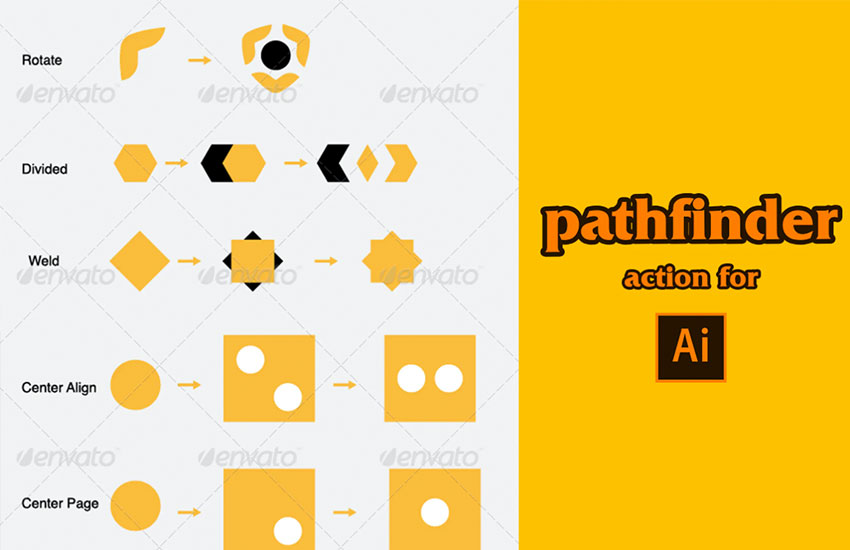
This Illustrator scripting option helps you create complex shapes and patterns to optimize your workflow. This Adobe script for Illustrator expands on the regular pathfinding functionalities included in Illustrator.
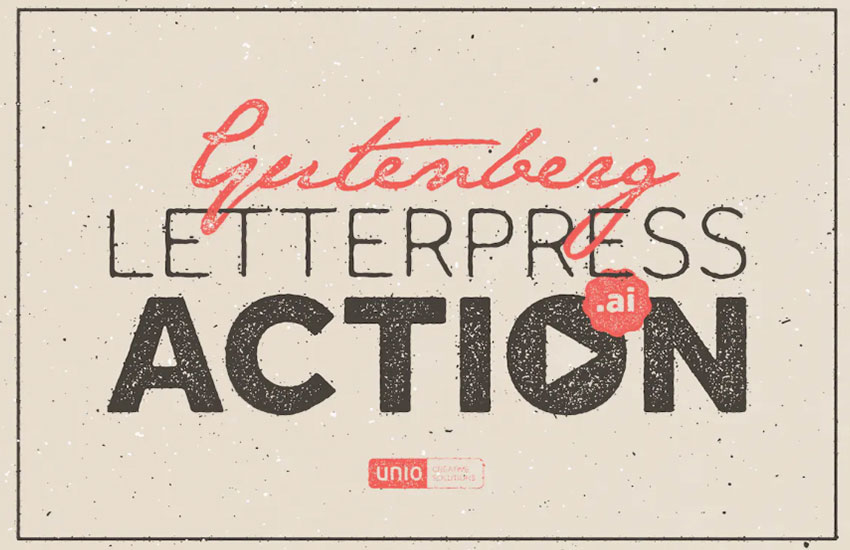
If you're looking for a script in Illustrator that can quickly help you give your designs a texturized letterpress, this is the right choice for you.

Doing Adobe Illustrator scripting from scratch can take time, especially when creating intricate designs like mandalas. This Illustrator scripting option will get help you get the job done in no time.

Illustrator scripts like this one make adding cool effects to your designs way easier. No need to learn scripting in Illustrator from scratch. Add shadows to text and other elements with these scripts for Illustrator.
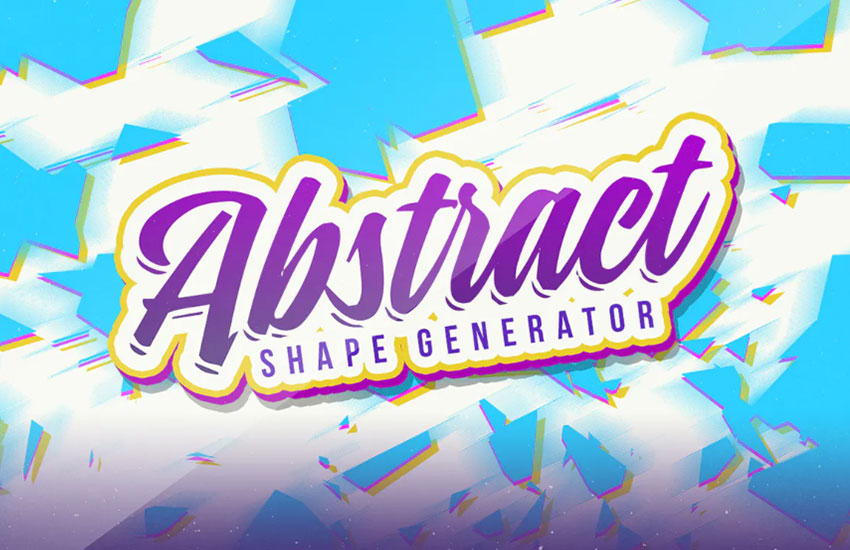
Why do scripting in Illustrator when you can use an Adobe script for Illustrator created by professionals? Create dynamic backgrounds with this abstract shape generator. You don't need to be an expert coder and develop Illustrator JSX scripts to make your Ai creations pop.
Learn More About Illustrator Scripts and Actions
There's so much to learn about Adobe Illustrator scripts and actions. Check out these amazing tutorials to continue on your journey:






 By
By



