
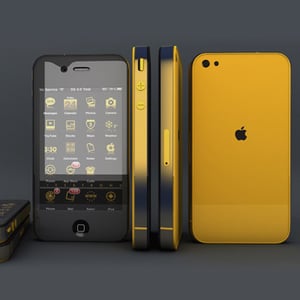
Modeling, Texturing and Rendering the iPhone in Maya
3 PostsIn this in-depth, beginner friendly series, you’ll learn how to create the iPhone using Maya and V-Ray. You'll start by going through a geometric breakdown, where you'll learn how to dissect the iPhone’s unique shape and plot the geometry needed to accurately reconstruct it in 3D. You'll then move on and create V-Ray materials, light and render the final product shot.View Learning Guide...
Rigging A Voodoo Doll Character In Maya
2 PostsIn this tutorial, you'll learn how to create a complete character rig for a voodoo doll character in Maya using the Setup Machine and Face Machine plugins from Anzovin studios. You'll learn how these plugins can save you valuable time during rigging, by allowing you to utilize pre-built body and face rigs, which can then be customized to fit you and your character's specific needs.View Learning Guide...
Create the iPhone 4S in 3D Studio Max
5 PostsIn this multi-part project, you’ll create the iPhone 4S in 3d Studio Max using tried and true poly modeling techniques. You’ll learn how to setup and model from six view blueprints, create precision cuts, terminate edge loops and add proper supporting geometry to retain surface shape when adding subdivision. The overall goal of the project will be to create a model capable of standing up to the closest renders.View Learning Guide...
The Cosmos
4 PostsOur universe is vast. So vast, in fact, that astronomers don’t measure its size in meters or miles but by explaining how long it would take to travel a certain distance at the speed of light. In this series of tutorials, we'll be working on creating various different aspects of the cosmos in Photoshop — a selection of beautiful artwork!View Learning Guide...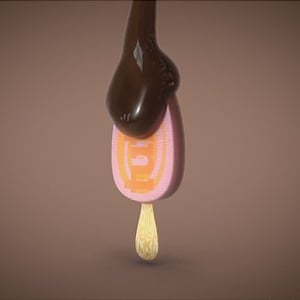
Ice Cream Bar Animation with Maya, RealFlow And AE
2 PostsIn this amazing three part tutorial series, you'll create liquid chocolate pouring over a branded ice cream bar. To achieve this, you'll use Maya for mashing and rendering. RealFlow for the liquid chocolate simulation. And finally, you'll use After Effects to create the chocolate chunks and glow streaks, and finish things up with final compositing.View Learning Guide...
Shortcuts on Psdtuts
36 PostsIn this series, Martin Perhiniak will explain some time-saving tips to help you work more efficiently with Adobe Photoshop.View Learning Guide...

