
 Lessons: 10Length: 1.2 hours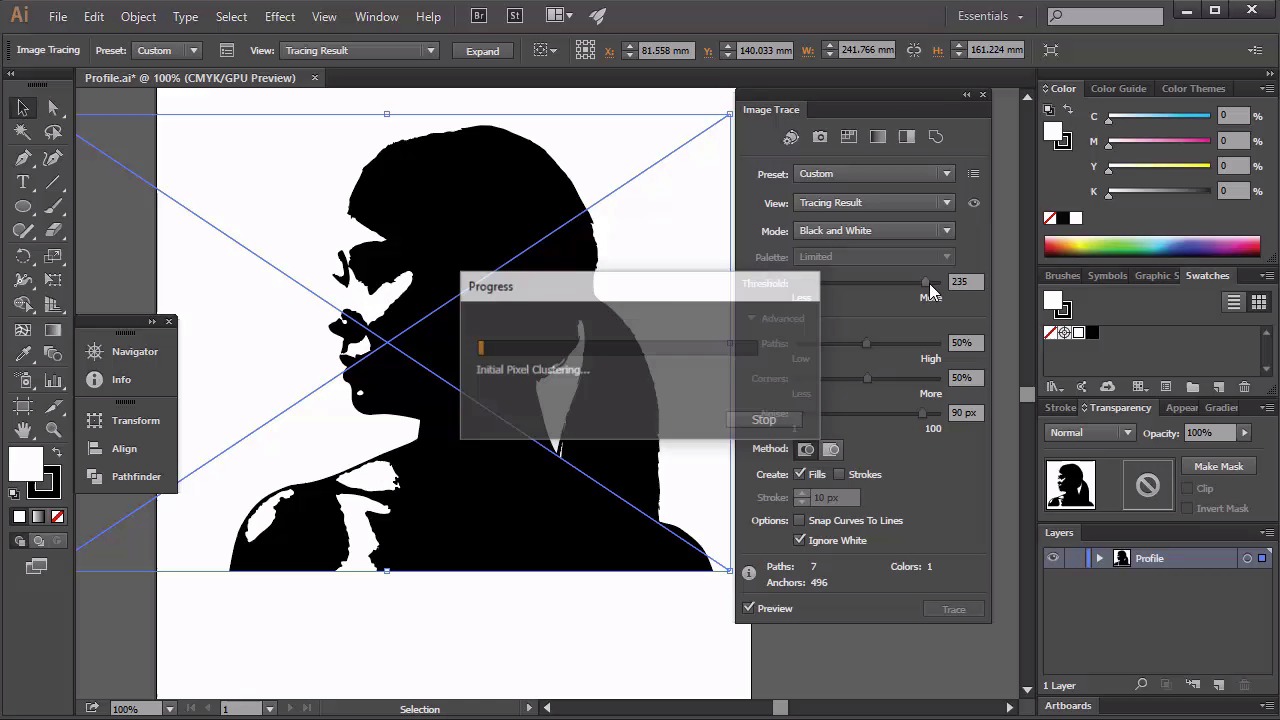
- Overview
- Transcript
2.1 Create the Basic Portrait
Let's start our first project and learn how to use Image Trace/Live Trace, Basic Shape Tools, and the Pathfinder panel.
1.Introduction
1.1Introduction01:41
1.1
Introduction
01:41
2.Create a Profile Silhouette
2.1Create the Basic Portrait07:31
2.1
Create the Basic Portrait
07:31
2.2Add Hair Detailing09:08
2.2
Add Hair Detailing
09:08
2.3Create the Border11:16
2.3
Create the Border
11:16
3.Create a Window Scene
3.1Create the Window Frame07:55
3.1
Create the Window Frame
07:55
3.2Create a Cat09:56
3.2
Create a Cat
09:56
3.3Create the Sky and Moon Glow08:04
3.3
Create the Sky and Moon Glow
08:04
3.4Create the Foreground Trees05:36
3.4
Create the Foreground Trees
05:36
3.5Create the Twinkling Stars10:43
3.5
Create the Twinkling Stars
10:43
4.Conclusion
4.1Conclusion01:13
4.1
Conclusion
01:13


