Free Icon Design courses and tutorials

Well-designed icons are the secret to a great user interface. Learn how to design simple and effective icons that immediately communicate concepts to your users.

All Icon Design tutorials:

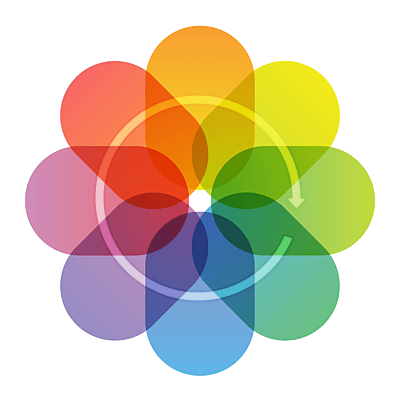
  1. Quick Tip: Create an iOS 7 Inspired Flower Icon Using the Rotate Tool

    Quick Tip: Create an iOS 7 Inspired Flower Icon Using the Rotate Tool

    Tutorial Beginner

    Here are a few quick tips for rotating objects in Adobe Illustrator. We'll be using these tips to recreate the new Photos App Icon in iOS 7.

  2. Create a Vinyl Record Player Icon in Adobe Illustrator

    Create a Vinyl Record Player Icon in Adobe Illustrator

    Tutorial Beginner

    In the following steps you will learn how to create a vinyl player icon in Adobe Illustrator. For starters, using a simple grid and the snap to grid feature...

  3. Quick Tip: How to Create a Traditional Wreath in Adobe Illustrator

    Quick Tip: How to Create a Traditional Wreath in Adobe Illustrator

    Tutorial Beginner

    Wreaths are a popular addition to traditional looking logos and emblems, and creating them is easy in Adobe Illustrator. In this tutorial you will learn how...

  4. How to Create an Enchanting Broom in Adobe Illustrator

    How to Create an Enchanting Broom in Adobe Illustrator

    Tutorial Beginner

    In the following tutorial you will learn how to create a broom illustration in Adobe Illustrator. In the first steps you will learn how to create the wooden...

  5. Create Gender and Orientation Symbols With Basic Shapes in Illustrator

    Create Gender and Orientation Symbols With Basic Shapes in Illustrator

    Tutorial Beginner

    As an illustrator you may find you have to create many graphics for articles, graphic interfaces, or info graphics where data regarding gender or sexual...

  6. How to Create a Spooky Eyeball with Veins in Adobe Illustrator

    How to Create a Spooky Eyeball with Veins in Adobe Illustrator

    Tutorial Intermediate

    Here you'll learn how to create an eyeball with veins in Adobe Illustrator, a classic item for Halloween. At first we will make the plain eyeball which is...

  7. Create an iOS 7 Inspired Tab Bar Icon Set in Adobe Illustrator

    Create an iOS 7 Inspired Tab Bar Icon Set in Adobe Illustrator

    Tutorial Beginner

    With the release of Apple's latest mobile operating system iOS 7 I thought it would be great to create some custom tab bar icons styled for this new OS. In...

  8. Mwah! Create a Fabulous Semi Realistic Lipstick in Adobe Illustrator

    Mwah! Create a Fabulous Semi Realistic Lipstick in Adobe Illustrator

    Tutorial Intermediate

    In this tutorial you will learn how to draw a realistic lipstick from scratch in Adobe Illustrator and from it you will create other versions. It starts...

  9. Create a Series of Colorful Vector Starfish in Adobe Illustrator

    Create a Series of Colorful Vector Starfish in Adobe Illustrator

    Tutorial Intermediate

    Follow this quick tip and learn how to draw a beautiful vector starfish. I will guide you step by step to create the starfish shape then using Art Brushes...

  10. How to Create a Beautiful Flip Flop Icon in Adobe Illustrator

    How to Create a Beautiful Flip Flop Icon in Adobe Illustrator

    Tutorial Intermediate

    Follow this tutorial and learn how to draw a beautiful beach icon. This icon is made up of two main parts, the base that looks like a beach and the colorful...

  11. Create a Set of "Almost Flat" Modern Icons in Adobe Illustrator

    Create a Set of "Almost Flat" Modern Icons in Adobe Illustrator

    Tutorial Advanced

    With this tutorial I would like to show you a few tricks on creating clean lines and edges when working with the flat design trend, in Adobe Illustrator....

  12. Create a Weather App Design for iOS in Adobe Illustrator

    Create a Weather App Design for iOS in Adobe Illustrator

    Tutorial Intermediate

    This design was used in conjunction with our partner site Mobiletuts+. Bart Jacobs, very skilled developer, has taken this UI and created a working app out...