Learn 3D design with our free tutorials

Bring your ideas to life in three dimensions with our 3D design tutorials. From modeling to animation, we'll help you create amazing visual experiences.

All 3D Design tutorials:

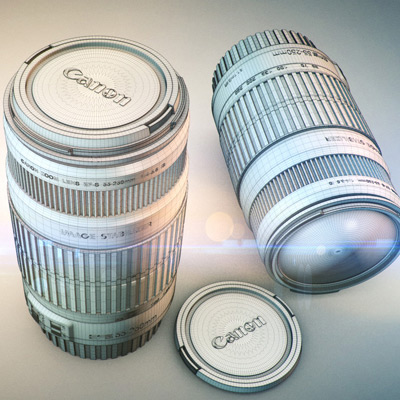
  1. Commercial Production Series: Canon EFS 55-250mm Lens - Part 2

    Commercial Production Series: Canon EFS 55-250mm Lens - Part 2

    Tutorial Intermediate

    In this tutorial series from brothers Stefan and Andrew Surmabojov, you'll learn how to create a stunning 36 second fake video advertisement for the Canon...

  2. Creating and Rigging a Non-Deformable Wooden Character in Maya: Part 3

    Creating and Rigging a Non-Deformable Wooden Character in Maya: Part 3

    Tutorial Intermediate

    In this part of the non-deformable character series, you'll learn how to apply UVs to your character using Maya's proprietary tools. Topics Include using...

  3. Recreating Pixar's Wall-e in High Poly Using Maya 2012: Part 8

    Recreating Pixar's Wall-e in High Poly Using Maya 2012: Part 8

    Tutorial Beginner

    In part eight of the series, you’ll further refine and detail the lower portion of Wall-e's body. This includes blocking out the outer shape, adding the...

  4. Integrating CG Glass & Live Action Footage in Maya

    Integrating CG Glass & Live Action Footage in Maya

    Tutorial Advanced

    In this tutorial we will set up a scene in Maya that allows us to integrate CG elements that will reflect and refract the live action footage using...

  5. Creating Your Own Textures in Blender

    Creating Your Own Textures in Blender

    Tutorial Beginner

    Did you ever need the perfect set of textures? Use your CG software to create your own textures and bake the according maps. Watch this tutorial to see how...

  6. Fine Tuning: Adding Chromatic Aberration

    Fine Tuning: Adding Chromatic Aberration

    Tutorial Intermediate

    Chromatic Aberration is a type of distortion caused when a camera's lens fails to focus on all colors along the outer boundaries of an object, causing...

  7. Quick Tip: Using Value Fields to Enter Calculations in Cinema 4D

    Quick Tip: Using Value Fields to Enter Calculations in Cinema 4D

    Tutorial Beginner

    In this quick tip you’ll learn about an often overlooked feature of Cinema 4D (and many other 3D applications) that allows you to run calculations using...

  8. Recreating Pixar's Wall-e in High Poly Using Maya 2012: Part 7

    Recreating Pixar's Wall-e in High Poly Using Maya 2012: Part 7

    Tutorial Beginner

    In the seventh part of the series, you'll continue working on the upper section of Wall-e's body, and learn how to add additional details. You'll then wrap...

  9. Quick Tip: Create a Great Looking Glittering Flakes Material in Modo

    Quick Tip: Create a Great Looking Glittering Flakes Material in Modo

    Tutorial Beginner

    In author Tomasz Lechociński's latest Modo quick tip, you'll learn how to create an awesome glittering flakes material in Modo 601 using fur. Although...

  10. Creating and Rigging a Non-Deformable Wooden Character in Maya: Part 2

    Creating and Rigging a Non-Deformable Wooden Character in Maya: Part 2

    Tutorial Intermediate

    In part 2 of author Soni Kumari's Non-Deformable Wooden Character series for Maya. You'll create the remaining parts of the character model including the...

  11. UV Mapping a High Poly World War II Willys Jeep in Modo - Part 5

    UV Mapping a High Poly World War II Willys Jeep in Modo - Part 5

    Tutorial Intermediate

    In the fifth and final part of the series, we'll finish up our UVMapping. In this part we'll unwrap the wheels and pack them onto their own UV map, and go...

  12. Building Thor's Hammer in Maya: Part 2

    Building Thor's Hammer in Maya: Part 2

    Tutorial Intermediate

    In the second part of the Thor Hammer tutorial, Chandan Kumar will show you how to unwrap each element of the model and pack the UVs before moving into...